
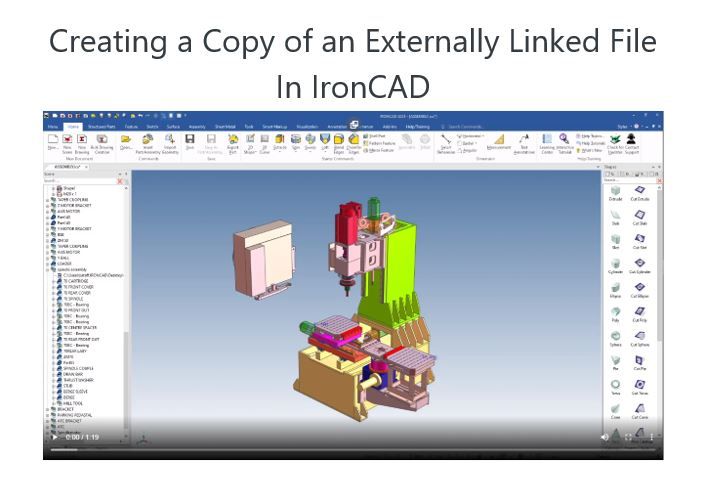
IronCAD has a whole list of ways to create copies and links of parts. But what if you have externally linked parts in an assembly that you want to use elsewhere or in another design? We will cover the many ways you can do this in IronCAD. Let dive in:
If you want to use a part that exists in a large assembly inside of another design, you can use the save as part/assembly external option from the home menu to create an external linked copy in another location. This tool is very useful for live designs that you can edit once, and all linked instances will update. But what if you do not want to edit the part that currently exists inside your scene, and you want to make small edits for another design? In that case, you can go to the part you want to make a copy of and right-click open part/assembly. The linked scene file will open, and from there, you can use the save as function to start to save a copy to a new location. This is where you need to ensure that you select the Save as Copy option at the bottom of the menu that appears. If that option is not specified, then changes that are made will update the master file that you have open. In some cases, this might be what you want, but for our example, we want this new scene file to be independent for use on other projects, so we will select the Save as copy option. The process is now complete, and you can use the part however you want.
There are a few other options for creating copies of externally linked parts that will not affect existing files, such as:
When all files are closed, find the file you want to copy inside the windows explorer, make a copy of the file and rename it. That process will create a copy without linking it to the master file.
The last method you can use is to drag a linked file into the catalog and select the option for Do not create a link. This will make a copy of the file that you can place into an empty scene for use.
Please feel free to stop by our website below for a variety of articles on the State of our Industry, interesting articles on 3D CAD Productivity and a few of our projects!

Viewpoints on Today’s 3D CAD and Engineering Industry
TECH-NET Engineering Services!
We sell and support IronCAD and ZW3D Products and
provide engineering services throughout the USA and Canada!
Why TECH-NET Sells IronCAD and ZW3D
If you are interested in adding professional hybrid modeling capabilities or looking for a new solution to increase your productivity, take some time to download a fully functional 30 day evaluation and play with these packages. Feel free to give me a call if you have any questions or would like an on-line presentation.
For more information or to download IronCAD or ZW3D
Joe Brouwer
206-842-0360
 TECH-NET, INC