
We will start with a video showing the difference between
IronCAD and the current popular modeling paradigm
IronCAD vs Solidworks and other Pro/e Clones
The engineering world is based on one overly complex modeling paradigm.
With that fact, the engineering world now has now established a “normal” level of modeling productivity. Experience a much different and productive system. We give you a link to the IronCAD academy that will get you up and designing in the most effective design modeling system. Due to its incredible flexibility and single model environment, IronCAD can be effectively used in many different industries.
The above video shows creating a model from a drawing. While that is a great way to show the functionality of CAD systems it does not show you the level of productivity in product conceptual design. I wish I could say this was the new CAD paradigm, but it was released in 1998!
I was sitting down with a customer and making his design a reality in minutes by dragging and dropping basic shapes from a standard or custom easily accessible catalog to create the proposed product, modifying faces with the integrated direct editing. I call this “Feature Based Modeling”.
I thought how do they do this with a constrained sketching system. You spend your time making sure the sketch is correct! They you have to create the extrusion, spin, sweep or loft!
Drag and Drop Design
“Featured Based Modeling”

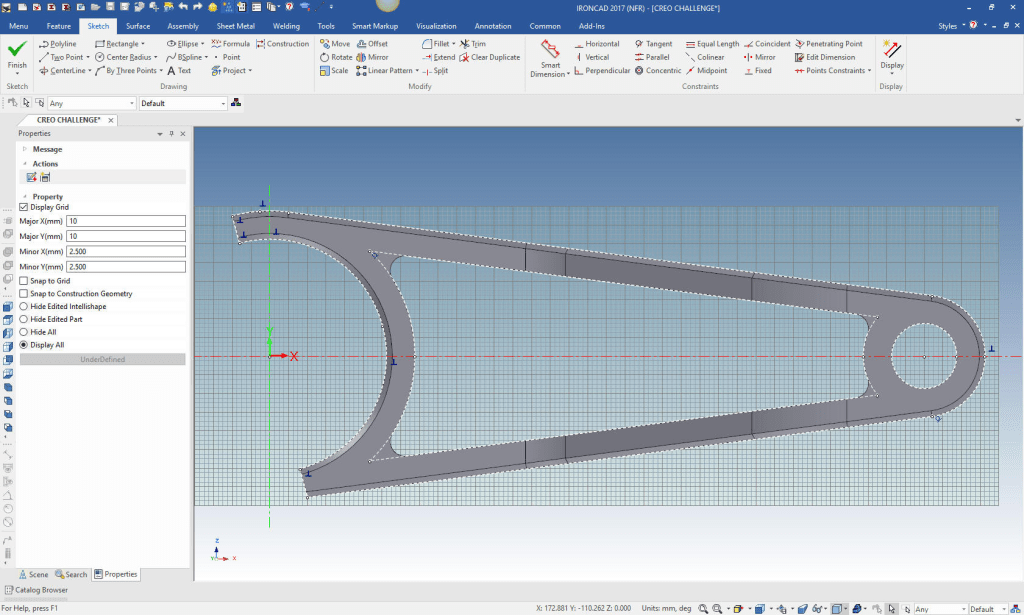
Imagine never having to struggle with complex constrained sketches. Oh, yes sketches are often require, but you use “Streamlined Sketching” or sketching without constraints. All systems can do this. Rarely do you really need constrained sketching except for parametric design.
Imagine never doing a constrained sketch?
No Constrained Sketching
“StreamLined Sketching”
I could tell you all the benefits of IronCAD but I would rather you experience for yourself.

Download a evaluation copy of IronCAD, it a full functional version with the translation package so you can import your existing part and assemblies into our unique highly functional “Single Model Environment” from all of the popular CAD products.
You have a full 30 day to explore the incredibly productive and fun package.
Schedule sometime to truly understand the basic foundation of this modeling product. It is the only truly integrated history based/direct edit product incredibly clever in it operation.
When you start to learn IronCAD you have to throw out the constrained sketching design paradigm and starting thinking in terms of shapes.
- Drag and Drop from Standard and Custom Catalogs
- Sketching with immediate shapes or standalone sketches
- Direct Edit Modification (Part of your design process)
- Surface Design
You can go TECH-NET’s IronCAD Training to be introduced to the basic beginning functions.
Learning IronCAD Series
Learning IronCAD! Lesson 1
Setting up the Scene (Workspace)
Learning IronCAD! Lesson Two
Drag and Drop Design
Designing with Shapes
Learning IronCAD! Lesson 3Streamlined Sketching
(Unconstrained Sketching)
Learning IronCAD! Lesson 4
IronCAD Intellishape Deconstructed
What are we Dragging and Dropping?
Learning IronCAD! Lesson 5
Integrated History Based/Direct Edit Modeling
Learning IronCAD! Lesson 6
IronCAD Configuration
Managing the Single Model Environment
When you get done with the above lessons you can move to the incredible IronCAD Academy which has hundreds of training videos to help you learn IronCAD. You will learn IronCAD’s simple and effective flexibility to unleash your design creativity, and the speed to do it faster than just about anyone in the world.

Give me a call if you have any questions. I can set up a skype or gotomeeting to show this part or answer any of your questions on the operation of IronCAD. It truly is the very best conceptual 3D CAD system.
TECH-NET Engineering Services!
We sell and support IronCAD and ZW3D Products and
provide engineering services throughout the USA and Canada!
Why TECH-NET Sells IronCAD and ZW3D
If you are interested in adding professional hybrid modeling capabilities or looking for a new solution to increase your productivity, take some time to download a fully functional 30 day evaluation and play with these packages. Feel free to give me a call if you have any questions or would like an on-line presentation.
For more information or to download IronCAD or ZW3D
Joe Brouwer
206-842-0360
 TECH-NET, INC