
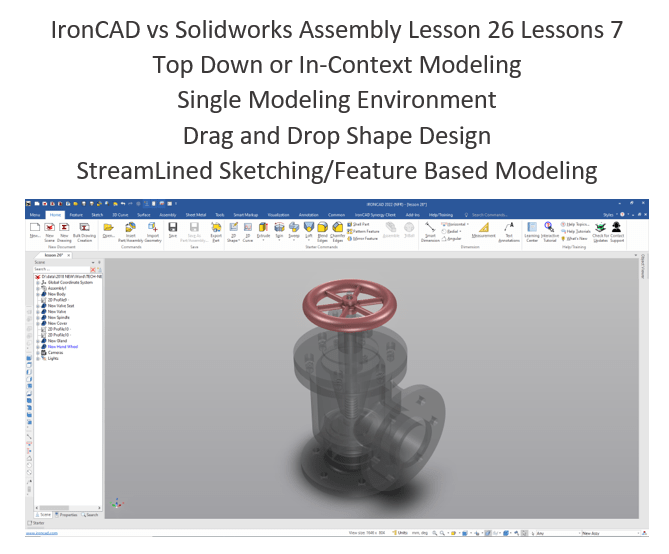
Please go to here to see the other lessons.
IronCAD vs Solidworks Assembly Lesson 26
What is the advantage designing with shapes?
Using shapes eliminates the need to create a sketch and extrude or revolve. If you created each feature individually it is easier to modify directly. Imagine a complex part. Give this concept a try today.
Design of Feed check Valve in Solidworks | Solidworks Exploded View
IronCAD vs Solidworks
While creating 3D models from drawing is the very best way to learn 3D CAD and maybe some design techniques is does not expose the designer to the design flexibility necessary in product design. IronCAD is all top down due to the single model environment. Creating mating parts is a cruise. But modeling is just one aspect of this well designed productive 3D CAD system.
I like to show step by step lessons So you can see the commands being used.
I always create the part before I watch the Video, so as to not taint my process. Of course, there are a multitude of ways to create a model. There is no right way, just more productive ways. From what I have seen from these very complicated processes done by the Solidworks Presenters, it is not just limited by the 3D CAD system.
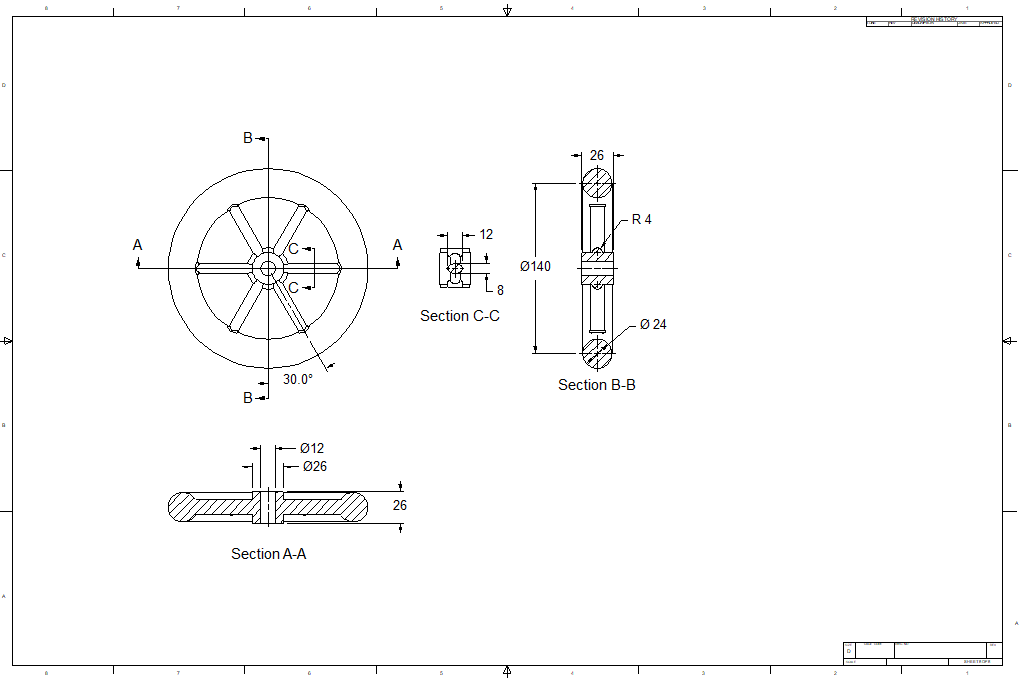
Here is the drawing if you would like to follow along.
For more information or to download IronCAD
We start with the Valve. We are doing top down or in context design. Which means we will using existing graphics to create our new part. We mostly use mating faces or edges.
We will create a Gland configuration. This is how you manage parts in a single model environment.
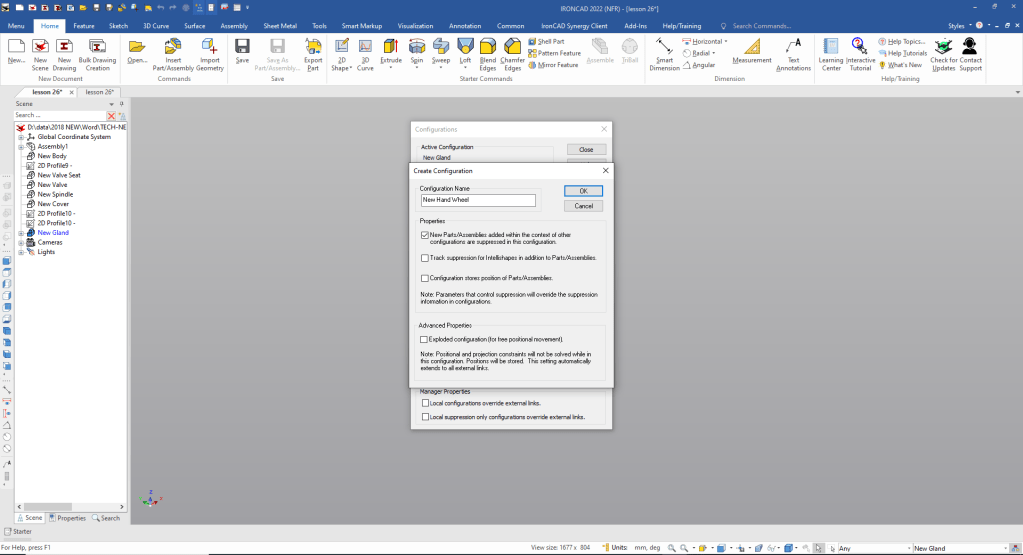
Note: Why does IronCAD call it a scene instead of a workspace? IronCAD was first released as a graphic design program called Trispectives. It still has much of the graphic design functionality. It truly is a wonderful mixture of professional 3D CAD and graphic design, which puts it in a much more flexible category as compared to the Pro/e (Creo) clones.
Also I have pinned the Catalog, you can autohide the catalog for more design space in the scene.
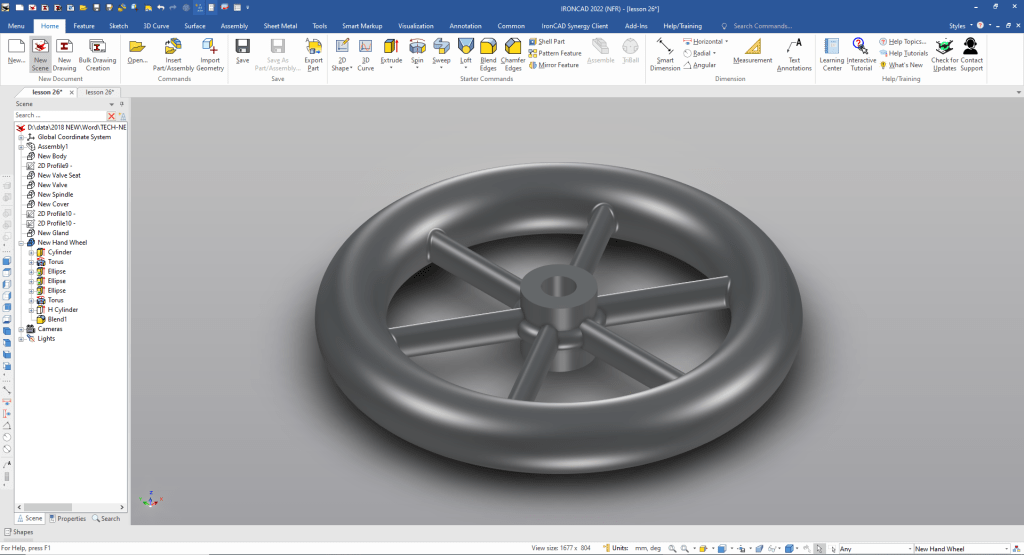
We open with the Spindle to use as a reference to create the Hand Wheel.
We pin the catalog open to show where we are dragging and dropping the shapes from. We usually set it to autohide to have more design real estate.
We drag and drop a cylinder on to the center of top hole on the gland using the right mouse button that allows us to create a new shape, creating a new part, the left button automatically makes it part of the existing shape. We can now name the new part.
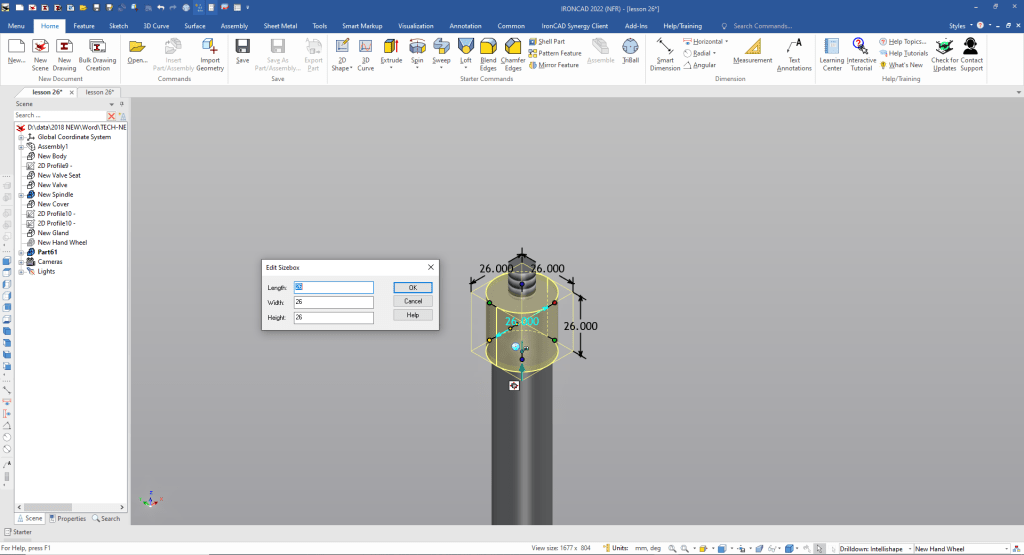
We can suppress the spindle since it will not be needed.
We need to create a torus for the inside bump. We drag and drop a torus on to the top center of the cylinder and size it. You can see it is only two inputs.
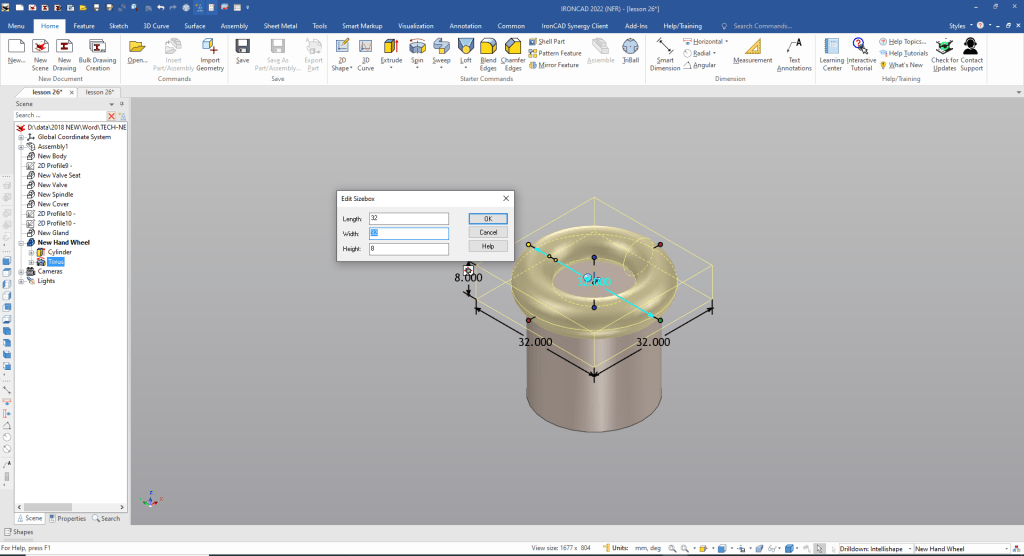
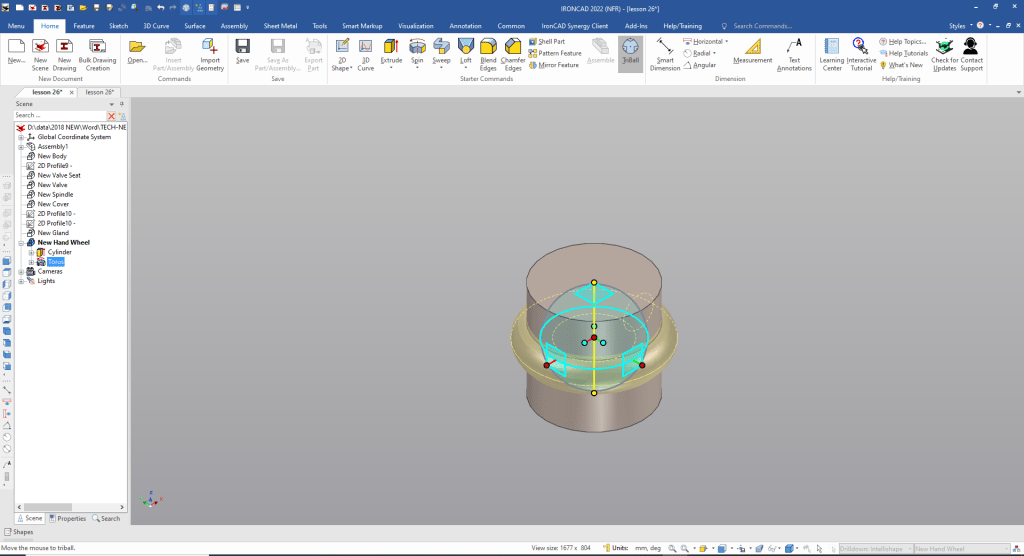
With the Tribal we locate it in center of cylinder. We use the point to point option to center it between two points.
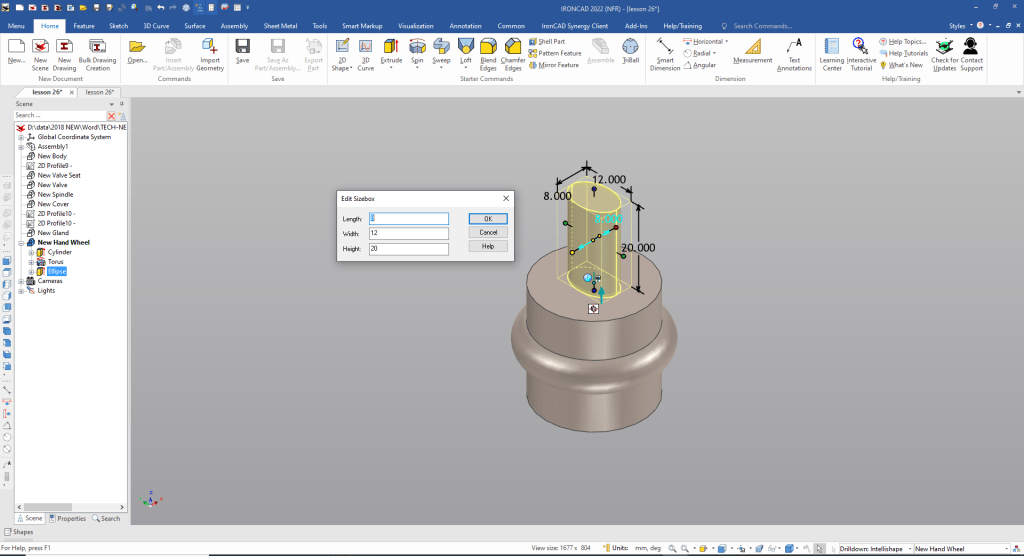
We drag and drop an ellipse to the top center of the cylinder and size it. We place it there to orient so we can then locate it with the Triball by rotating and moving.
We move the Triball to the midpoint of the ellipse so we can rotate it and move to the midpoint of the cylinder. We select symmetry options and set the length.
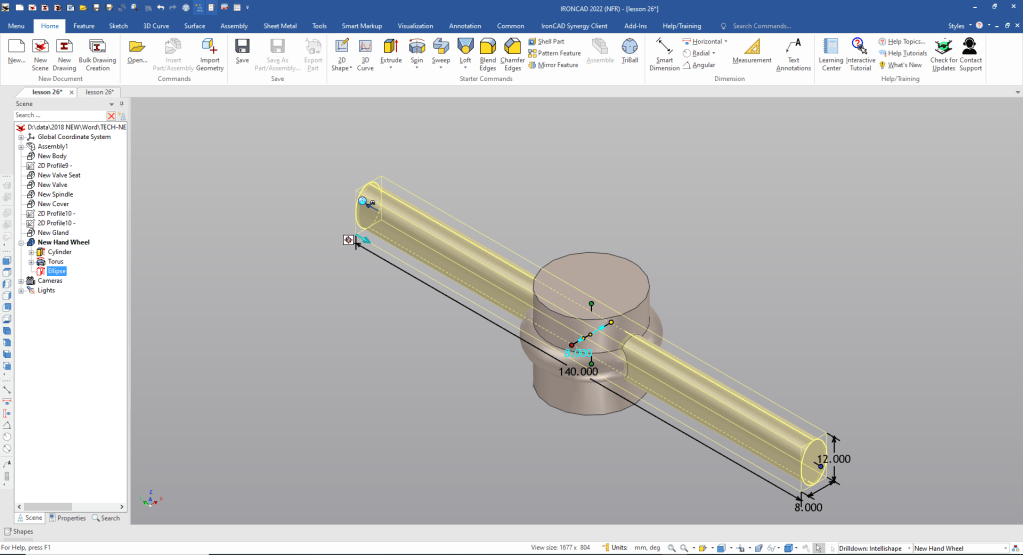
Now we use the Triball to rotate link copy the spoke.
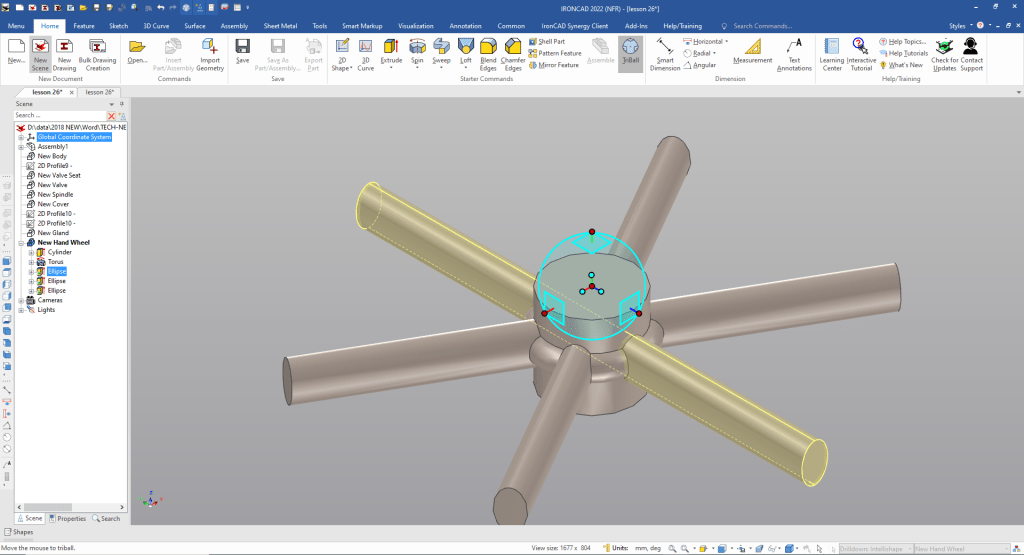
Now for the outer torus. We drag and drop it to the top center of cylinder and size it.
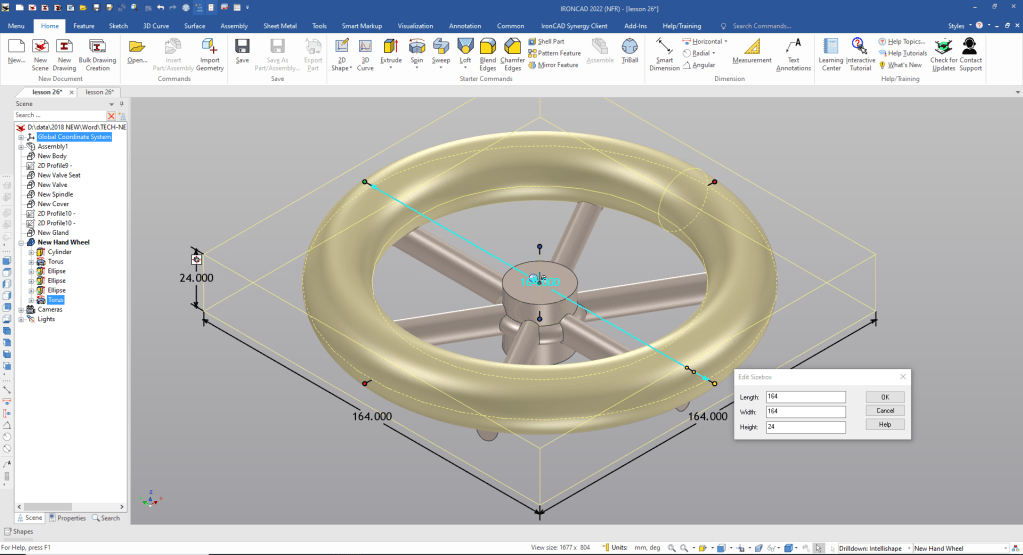
We now locate it with the Triball.
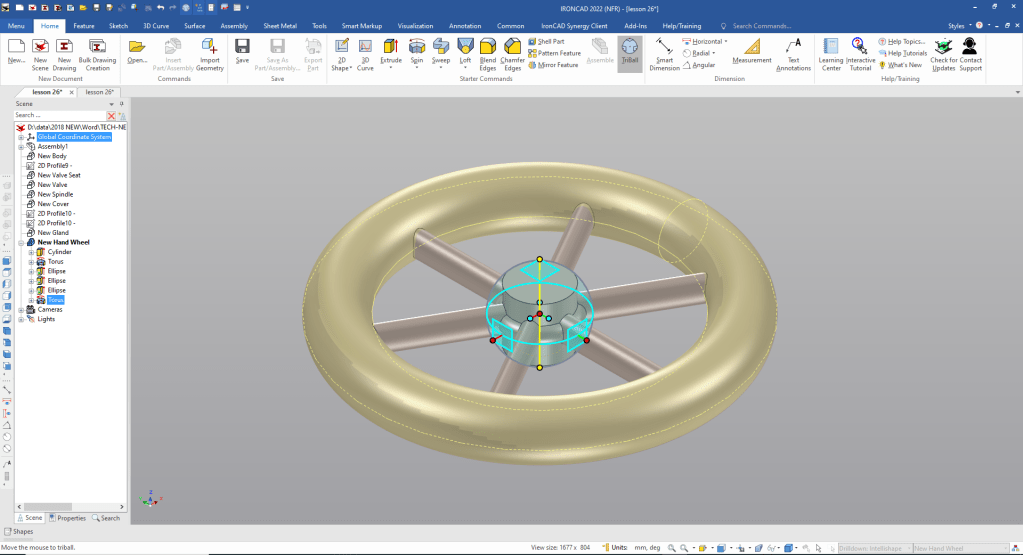
We now drag and drop a cut cylinder to the top center of the cylinder and size it. We add the blends.
I have turned on the catalog. I used it in the autohide position for more scene real estate. But that is where the shapes are dragged and dropped from.
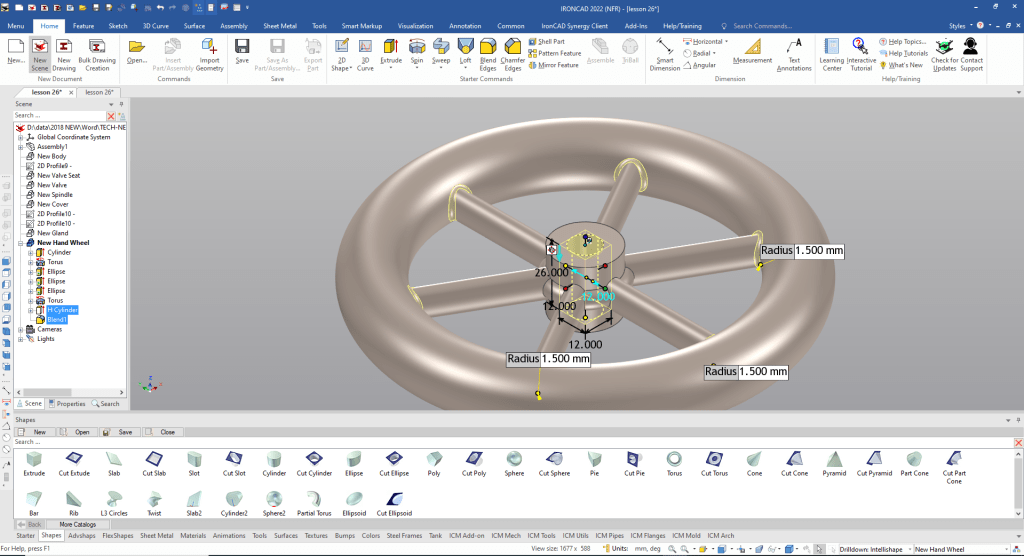
We are done with model.
Please go to here to see the other lessons.
IronCAD vs Solidworks Assembly Lesson 26
It is very important that you look into how you or your engineers are creating the parts. Streamline Sketching and Feature Based Modeling is easy to learn and implement. It, alone, will increase productivity 10X. Now, IronCAD with its unique integrated history/direct edit functionality can increase your productivity another 5X or more with changes! Again, time is money in engineering.
More on Streamline Sketching and Feature Based Modeling.
3D Modeling Techniques Defined
To experience this increased level of productivity, please download IronCAD for a 30 day evaluation. Legacy data is no problem, IronCAD can read the native files of all of the popular programs. IronCAD is a great replacement for the subscription only Autodesk and PTC products.
For more information or to download IronCAD
Give me a call if you have any questions. I can set up a skype or gotomeeting to show this part or answer any of your questions on the operation of IronCAD. It truly is the very best conceptual 3D CAD system.
TECH-NET Engineering Services!
We sell and support IronCAD and ZW3D Products and
provide engineering services throughout the USA and Canada!
Why TECH-NET Sells IronCAD and ZW3D
If you are interested in adding professional hybrid modeling capabilities or looking for a new solution to increase your productivity, take some time to download a fully functional 30 day evaluation and play with these packages. Feel free to give me a call if you have any questions or would like an on-line presentation.
For more information or to download IronCAD or ZW3D
Joe Brouwer
206-842-0360
 TECH-NET, INC