

Let me introduce Phil Procario, Jr.
A few years ago I got a ZW3D software request from Phil. He was interested in the purchase options. He downloaded ZW3D and within a month he was ready to purchase ZW3D Standard. He was interested in the surfacing capabilities of ZW3D. This was the beginning of a new adventure in 3D CAD.
He appeared to be very knowledgeable about surface modeling. I designed with surfacing for 8 years in the beginning of CAD and was happy with the introduction of solid modeling. But surfacing was what interested Phil.
I was totally blown away by Phil’s Tesla-Punked Train Engine. I have never seen anything like it. I instantly knew I was dealing with one of the very best 3D CAD modelers. I quickly realized Phil was not just some CAD jockey he is also a professional Tool & Die Maker and Designer/Engineer.
Here is one of his early comments about the topic.
“Surfacing in Solidworks is a massive pain, in Inventor and Fusion the current tool set for surfacing is very limited….
“Today’s 3D CAD apps are based on sketch constrain, sketch constrain…etc. This is just the absolute worst way to work. Feature based modeling is hard to break and easy to fix, plus it is much faster and easier to control. Sketch based modeling is very old school way of modeling and honestly comes from the old time CAD people that just don’t want to change with the times and step outside their box. I really don’t understand the industries unwillingness to change. Engineering and Design was conceived so that things would evolve and get better yet we are still doing things in CAD the same way they were done a decade ago….”
“To be honest I really like what I have seen so far with ZW3D.“
Phil has joined TECH-NET to represent ZW3D! Feel free to contact me or Phil for more information or to purchase ZW3D! Please reference this website when requesting information.
Download a fully functional ZW3D for a 30 day free trial and give it a try
Phil has decided to finish the Train Engine after moving to ZW3D. Here is the final state of the train when it was being worked on in Fusion 360. Fusion 360 just can’t handle large assemblies with or without history turned on. For this reason, he is moving the project into ZW3D. It can handle massive assemblies with no problems.
He also plans to build a physical model of the train and possibly sell it as a kit for model builders.
You can watch the progress of the design here: Make sure you come back often!
Tesla-Punked Train Engine Page 3
“Here I have added all the inserts.”


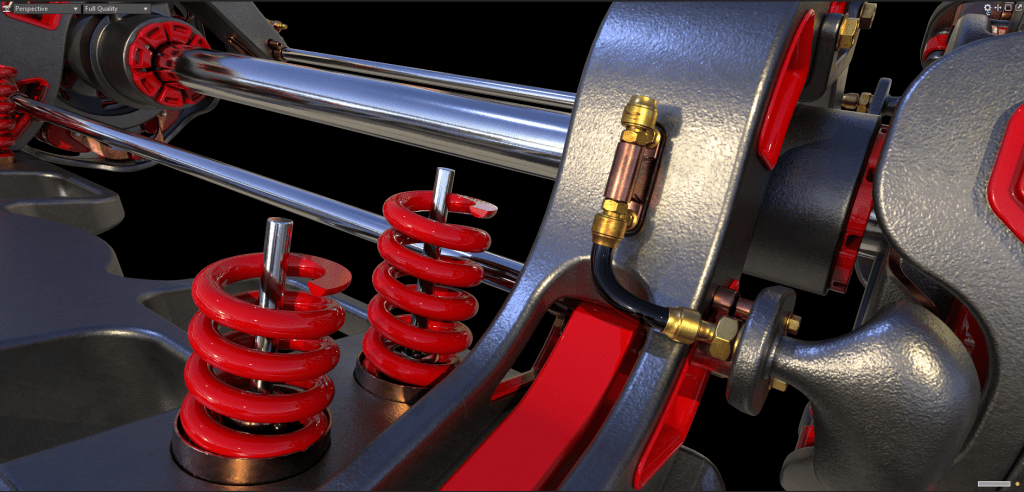
“I needed to remake the coils because I wasn’t happy with the original ones. In this case I needed to figure out a new way to do them because I just wasn’t happy with the old coils. Here is the tutorial on how I did them.”
How to make coils wrap around any shape or surface. – Laser & CNC Creations
Here is the end result with the new coils in place.
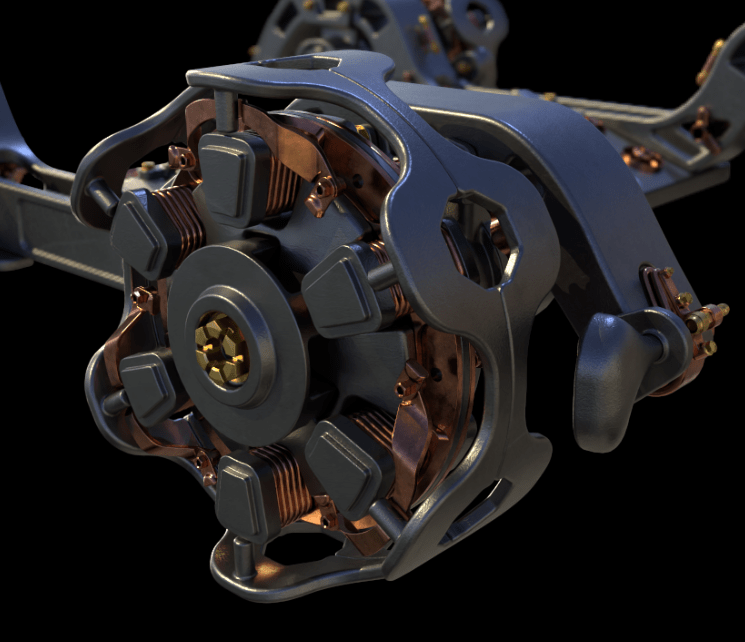
All of the spring cups are fixed, and the front and rear magnetic shafts are added.
Tesla-Punked Train Engine Page Two
No level of detail escapes Phil’s attention.

Tesla-Punked Train Engine Page One
In ZW3D we can reference any surfaces we want to use in the design of other parts. So, I’m going to create a new assembly and add it to the current train assembly. This will give us access to the assembly tools so we can reference the surfaces we need. It’s parts like I am about to design that makes me love CAD apps with good surfacing tools. Another thing that is very nice about ZW3D is the fact that all tools in ZW3D work on both surfaces and solids. No need for a separate toolset like you would see in other CAD systems.

Here you can see the reference tool in action. This tool can reference Faces, Sketches, Solids & Datums from one part of an assembly to another. You also have the option to create associative references or dumb references, the choice is yours.

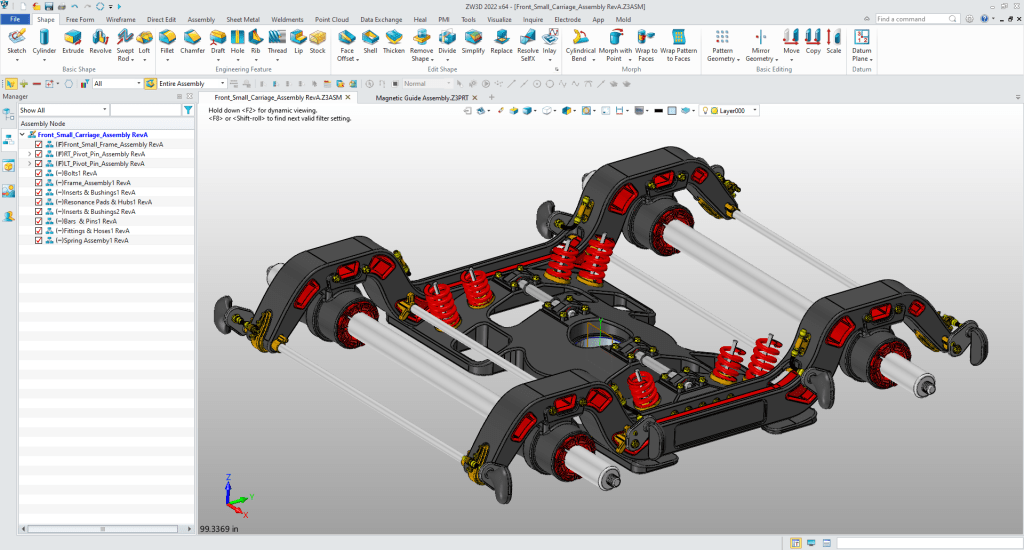
This is what the front small wheel carriage looked like when I stopped.

 TECH-NET, INC