
Streamlined Sketching vs Constrained Sketching
In the past you did your sketches for your extrudes, spins, sweeps and lofts with unassociated entities. It wasn’t until Pro/e was releases was the constrained sketch created.
I am not sure what the idea behind making every sketch constrained. Rarely do we add parametric values. It gave a weird point to point creation to get to a basic profile with adding constraints to the entities to create the desired profile. Very time consuming.
Streamlined sketching is like your would create the profile on a drawing board! Creating parallel line (or offsets) angles lines, arcs and circles and trimming or extending to get the correct profile for extruding, spinning, sweeps or lofts.
Here is a video that shows how to do Streamlined or unconstrained sketching in IronCAD. But Streamline Sketching can be done in any system. It is fast and easy to edit with no unexpected consequences.
Learning IronCAD Lesson 3 – Streamlined Sketching
Here are the two parts done in Fushion 360. You can see the difference between the two design processes.
IRONCAD vs Fusion 360 Lesson 10
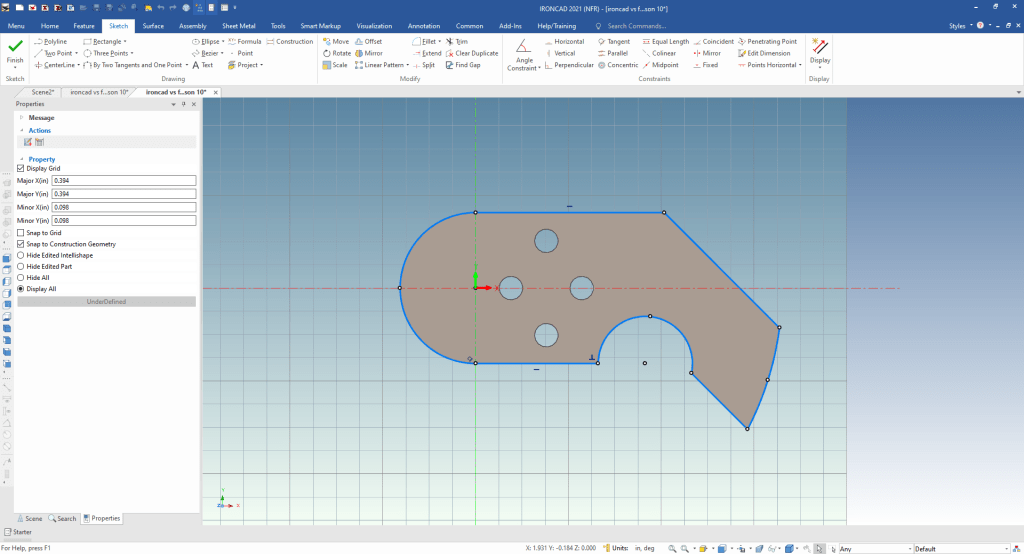
Here is the drawing.
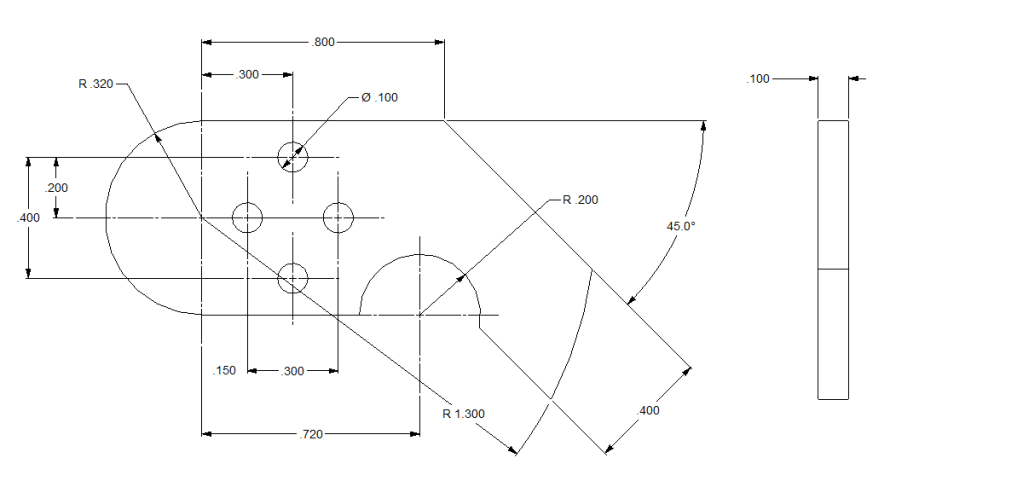
IRONCAD vs Fusion 360 Lesson 11

Here is the drawing.
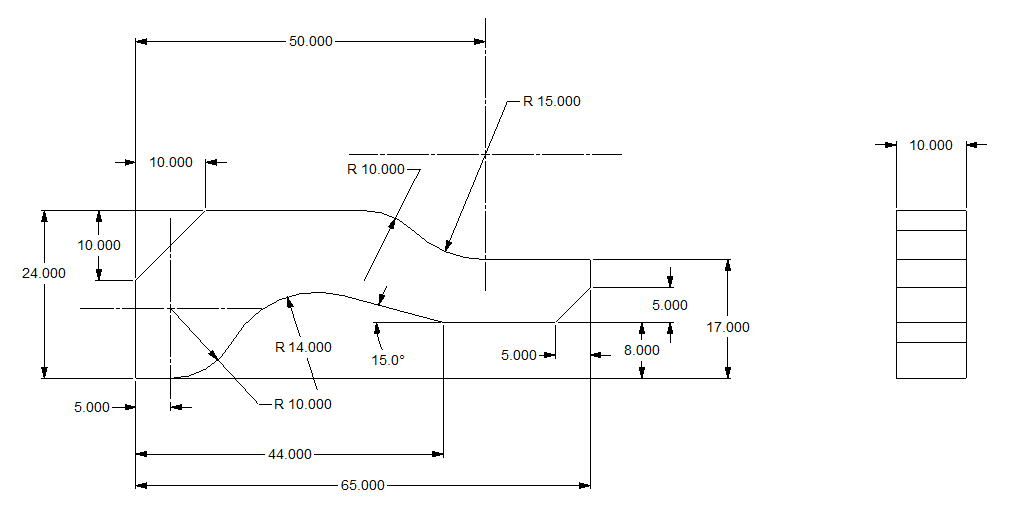
You can see more comparisons of Streamlines Sketching as compared to Constrained Sketching. But you can also see what we call Feature Based Design and how it can increase your design productivity.
3D Modeling Techniques Defined
For more information or to be put on our list for our next webinar
Please feel free to stop by our website below for a variety of articles on the State of our Industry, interesting articles on 3D CAD Productivity and a few of our projects!

Viewpoints on Today’s 3D CAD and Engineering Industry
TECH-NET Engineering Services!
We sell and support IronCAD Products and
provide engineering services throughout the USA and Canada!
If you are interested in adding professional hybrid modeling capabilities or looking for a new solution to increase your productivity, take some time to download a fully functional 30 day evaluation and play with these packages. Feel free to give me a call if you have any questions or would like an on-line presentation.
For more information or to download IronCAD
Joe Brouwer
206-842-0360
 TECH-NET, INC