
ZW3D 3D Modeling Fun!
Fun with Simple Hybrid Modeling!
More Design Freedom with
Integrated Solid and Surface Modeling!
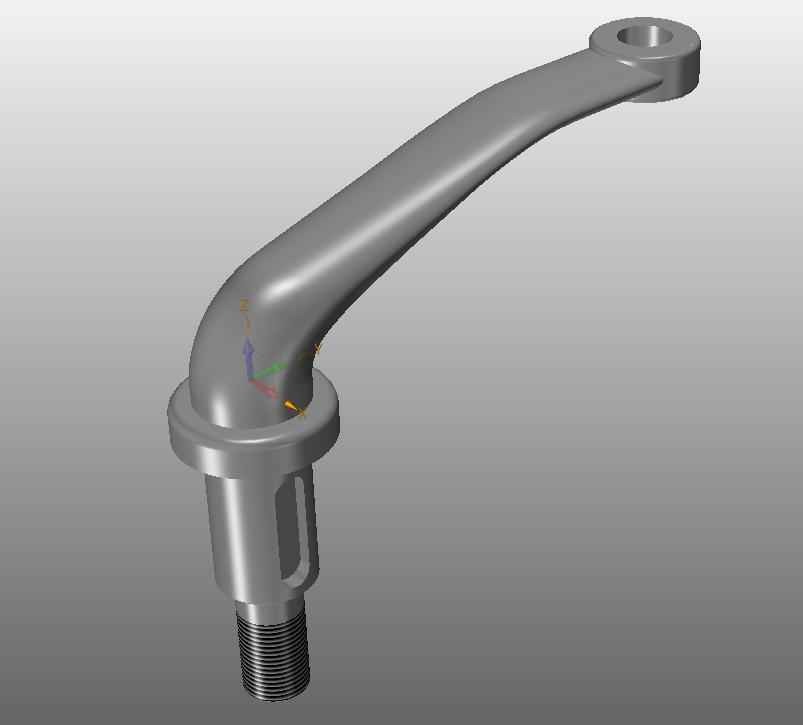
I saw this great simple part and it would be fun to create a lesson.
Download ZW3D and follow along.
This lesson is for those that have a good basic knowledge of solid modeling.
The AID (drawing) is include further down the page if you would like to try this yourself.
ZW3D is a sketch based system so it is easy for the major CAD system users to get up to speed fast. But it also has Primitive Shape to work with the eliminate the sketch and extrude step.
Watch how fun this with is the added functionality of primitive shapes.
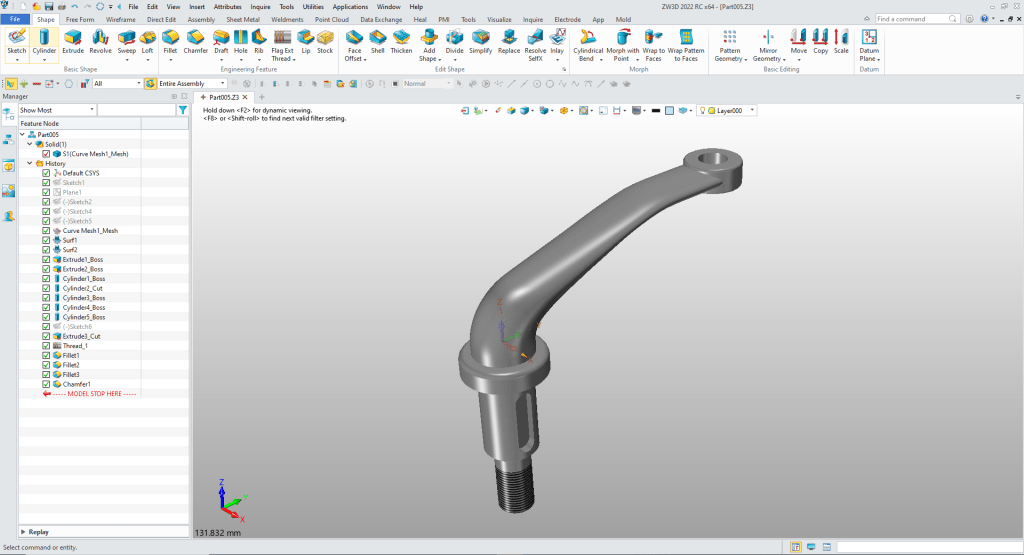
We will create this part with surfacing and turn it into a solid. This exercise will show using surfacing and solid model together! Both modeling functions are integrated in ZW3D making it one of the flexible modeling systems.
The Ultimate 3D CAD System
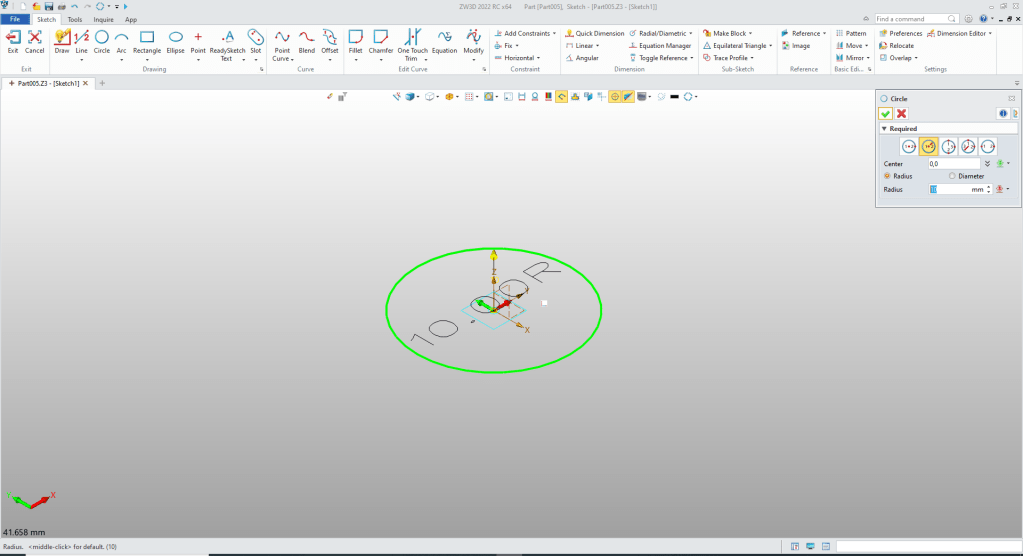
We will set the units to MM create our first profile at X0Y0ZO!
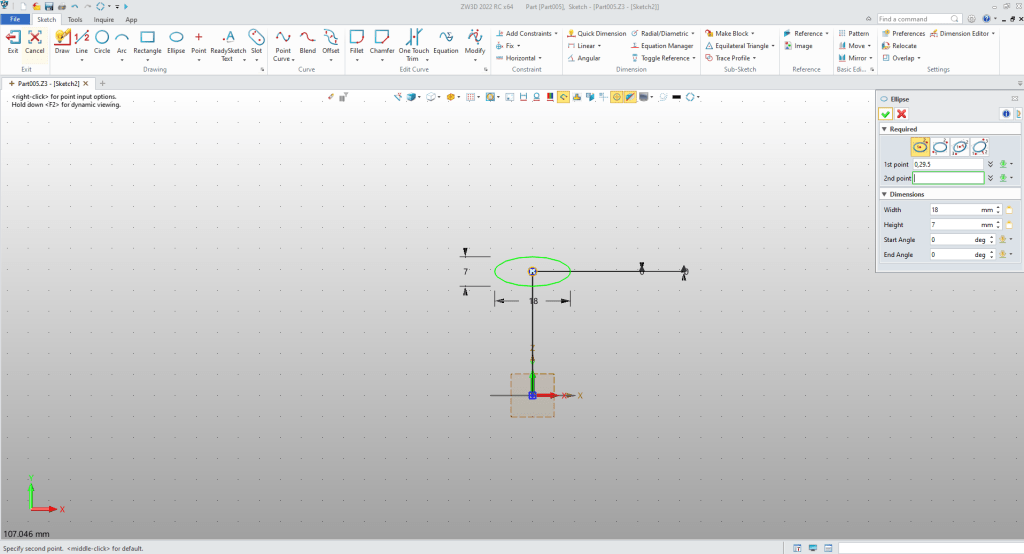
We will now create a datum in the correct orientation and create our ellipse! I created a vertical line to locate the center of the ellipse!
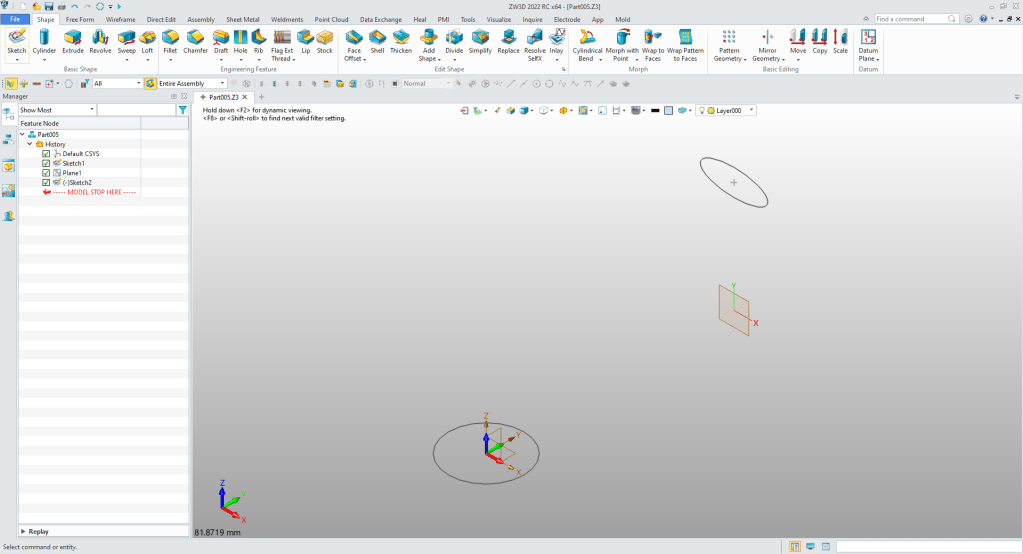
Now to add the guided lines. We create a sketch on the Z-Y plane.
We create the first guide curve. Notice I use lines to locate the centers of my radii.
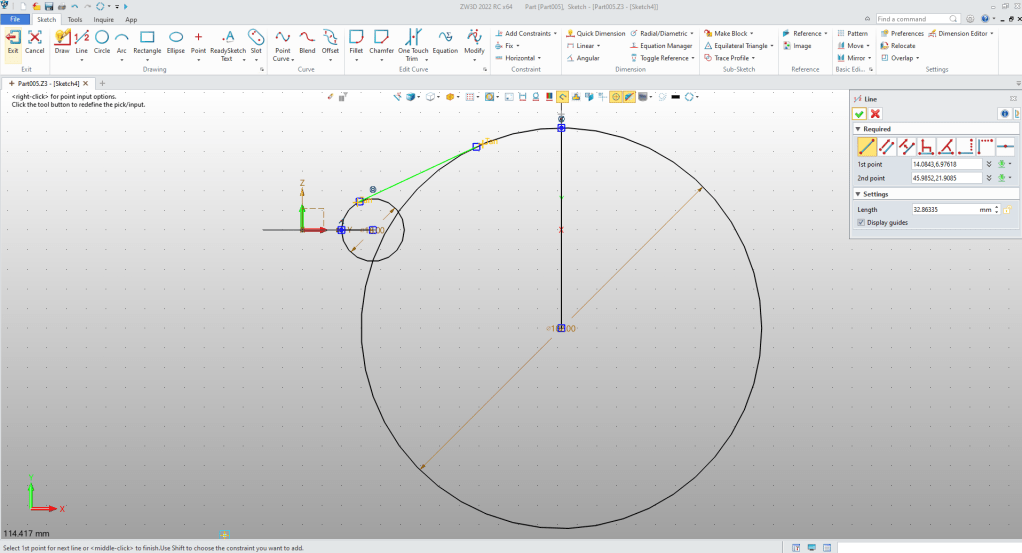
Clean up the graphics and save the sketch.
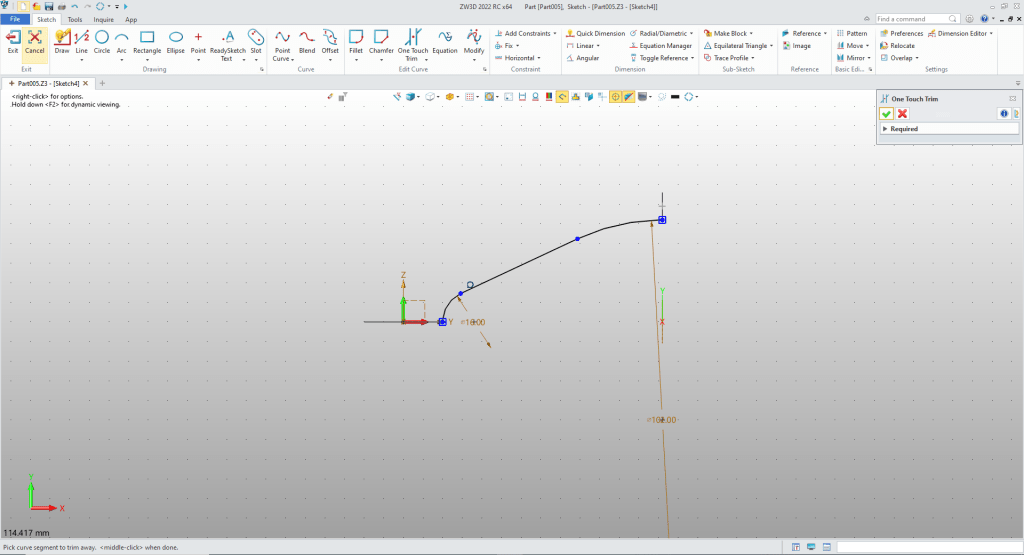
We create a sketch on the same datum and create the second guide curve.
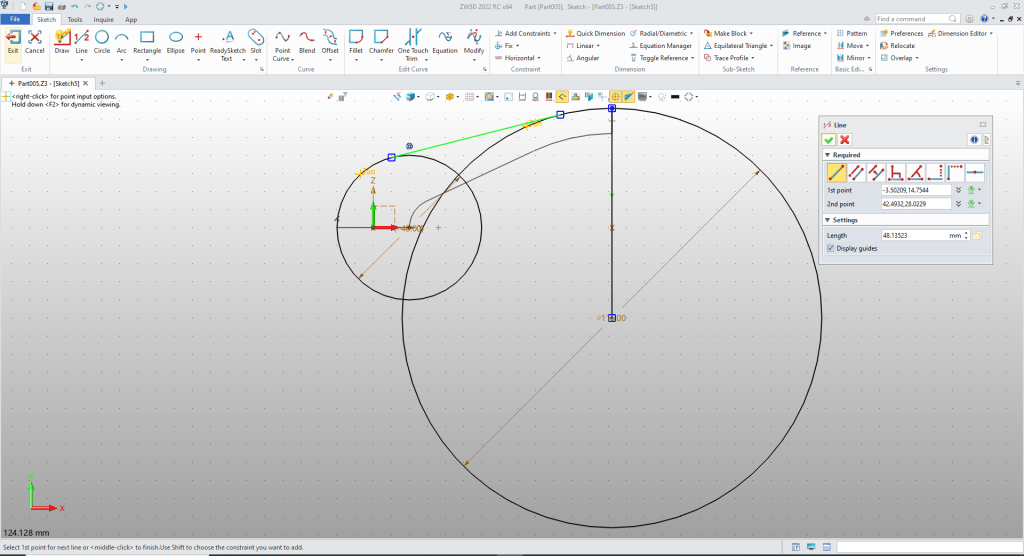
Clean up the sketch and we are ready to create our surface.
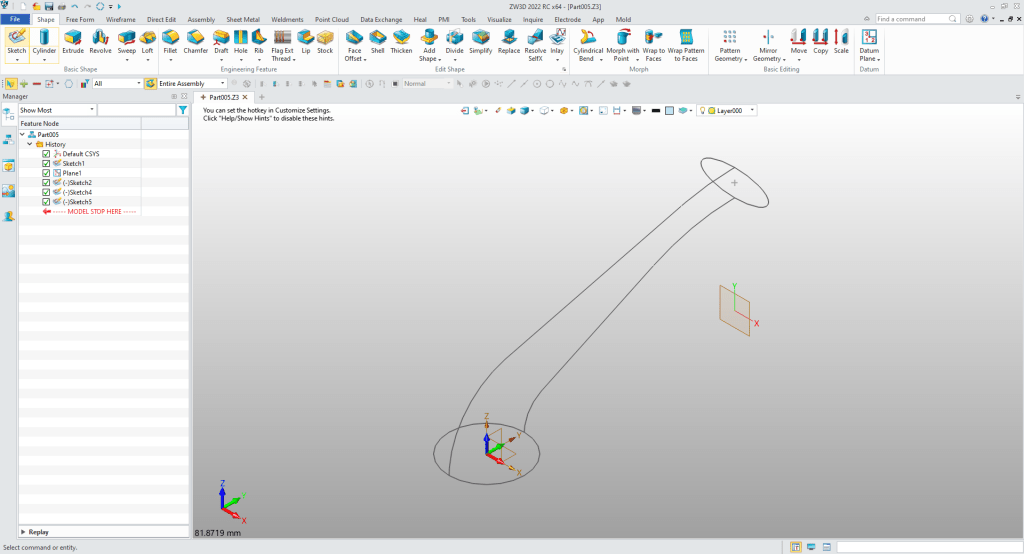
We will use the mesh surface tool to create the surface. We first choose the profiles then the guide curvers
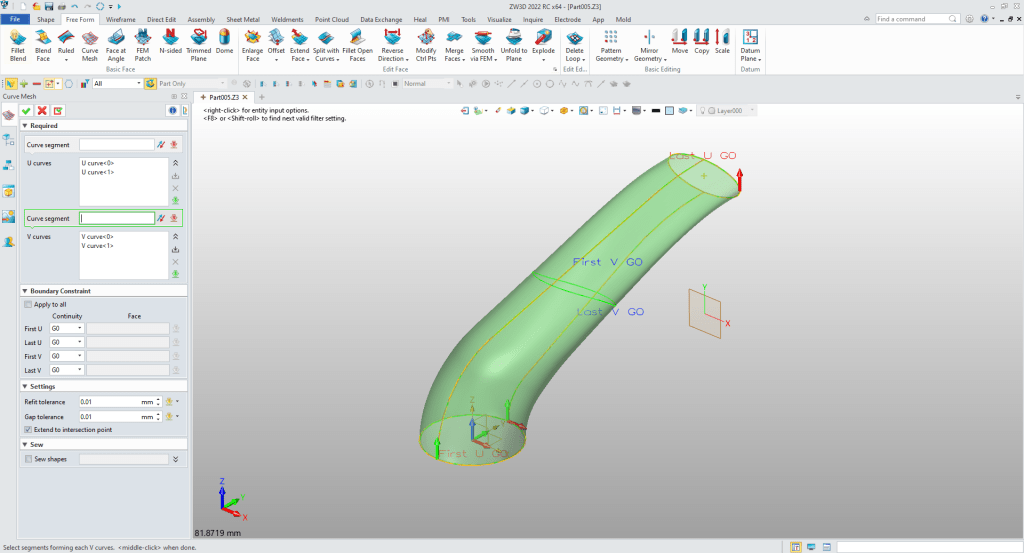
We now close the ends with a FEM Patch. Now that it is a closed shape it automatically creates a solid!
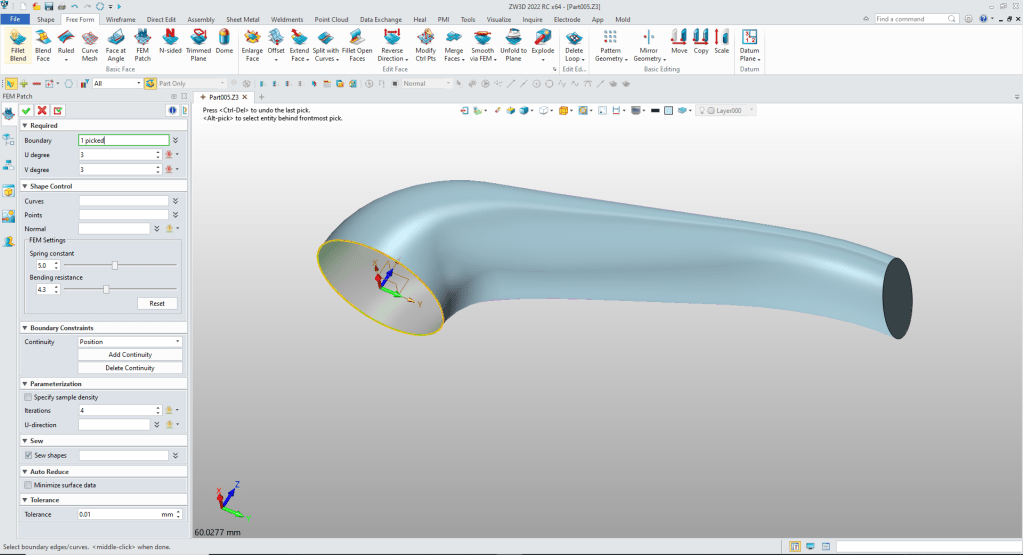
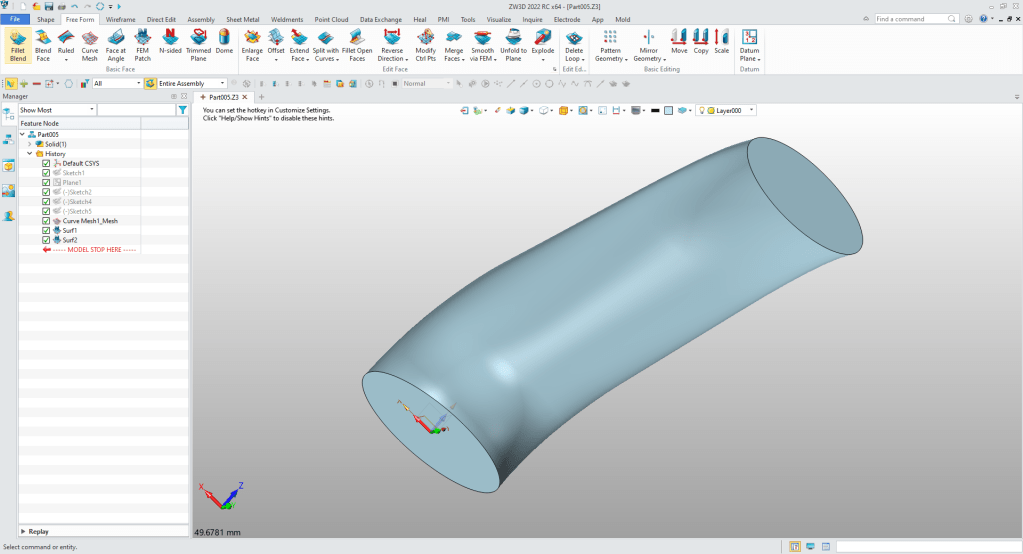
You can see it is now a solid!
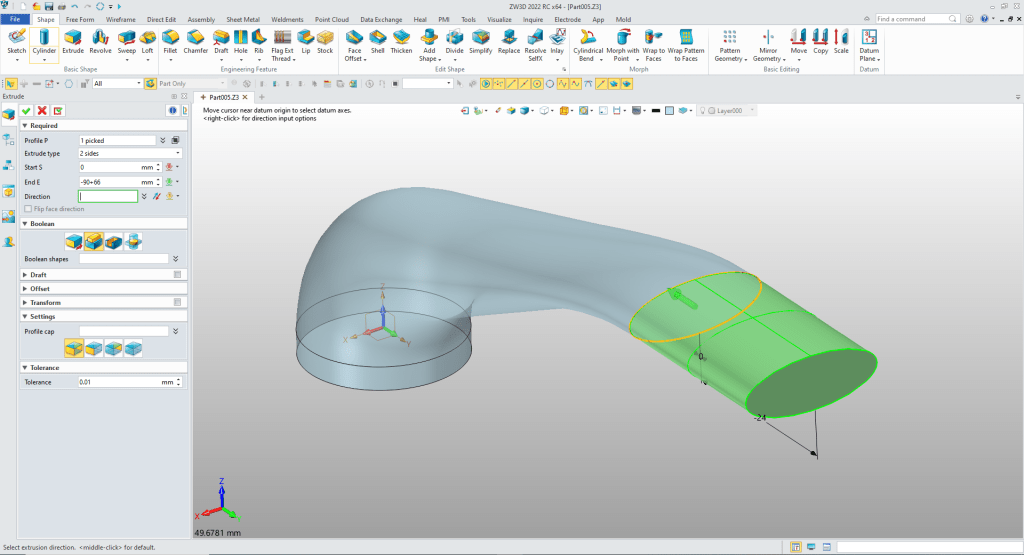
We extrude the two faces setting them to add!
We will insert a primitive cylinder locate it and size it and set it to add.
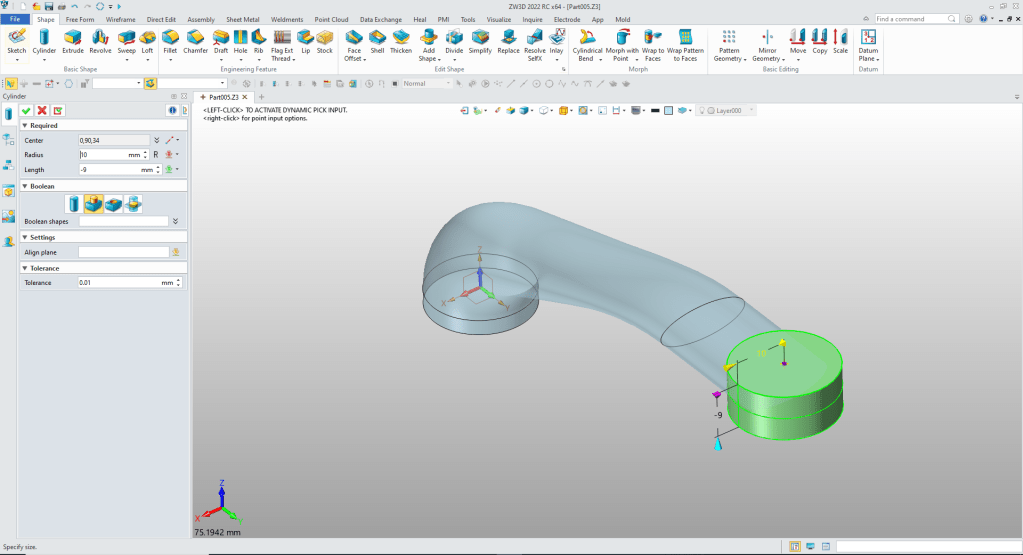
We will insert another primitive cylinder locate it at the center of the existing cylinder size it a set it to remove.
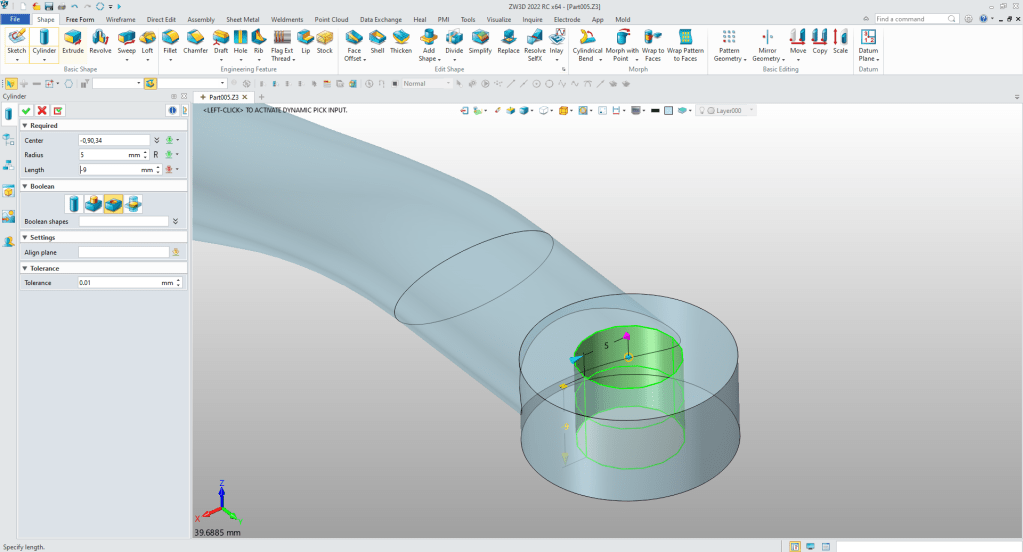
We again insert a primitive cylinder at the center of the existing cylinder and set the size set to add.
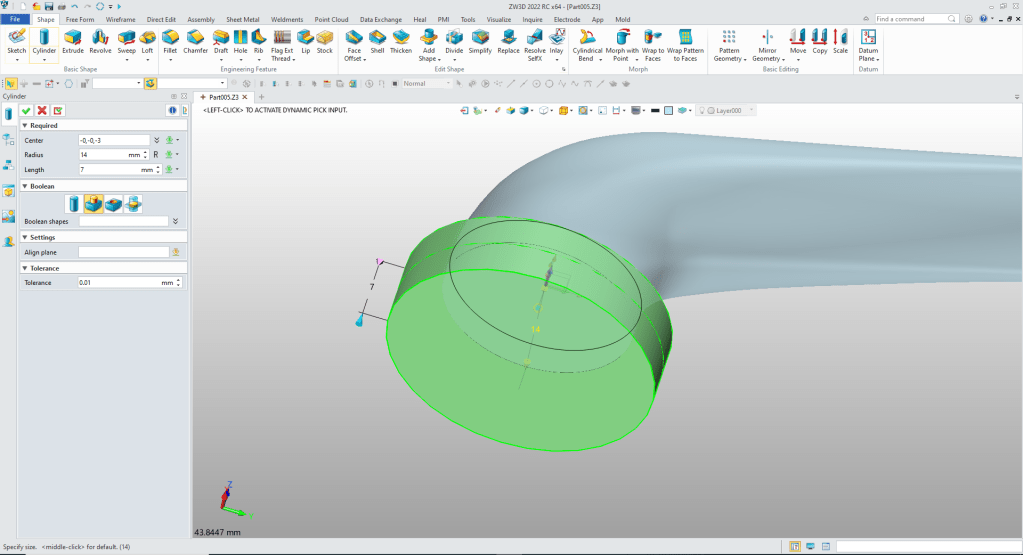
Another cylinder for the shaft
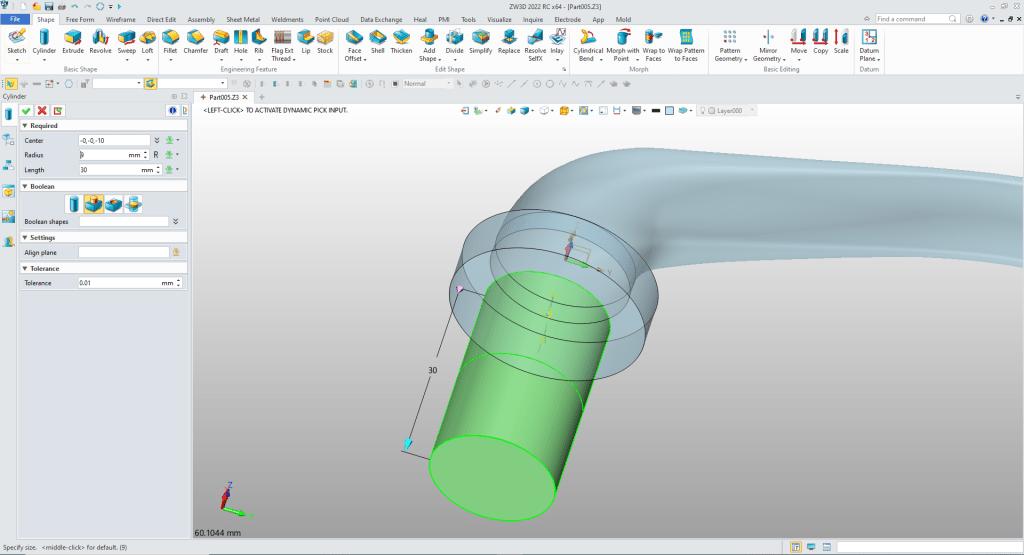
One more cylinder. You can see how much more productive having primitive shapes available. No need to create a sketch and extrude. I also cleans up the history quite a bit.
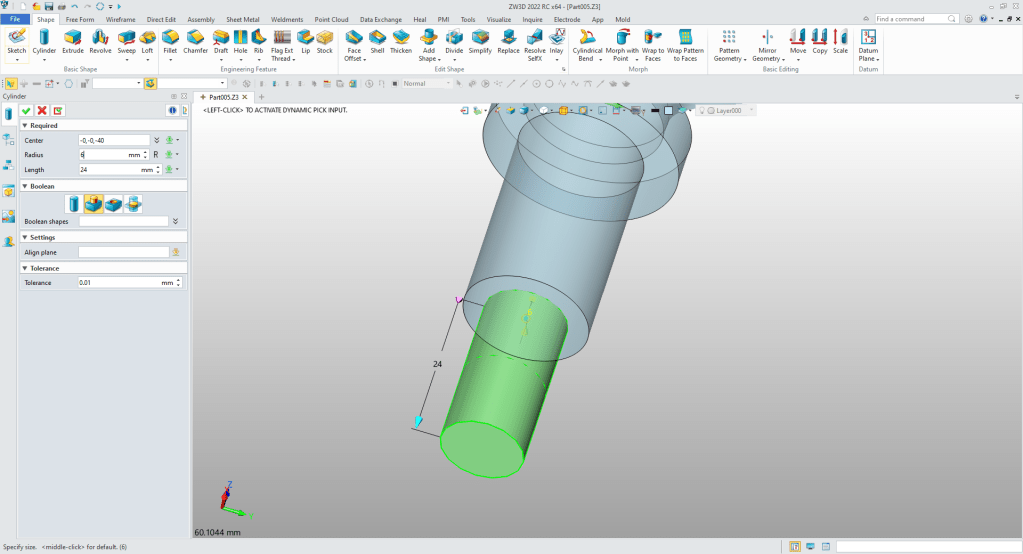
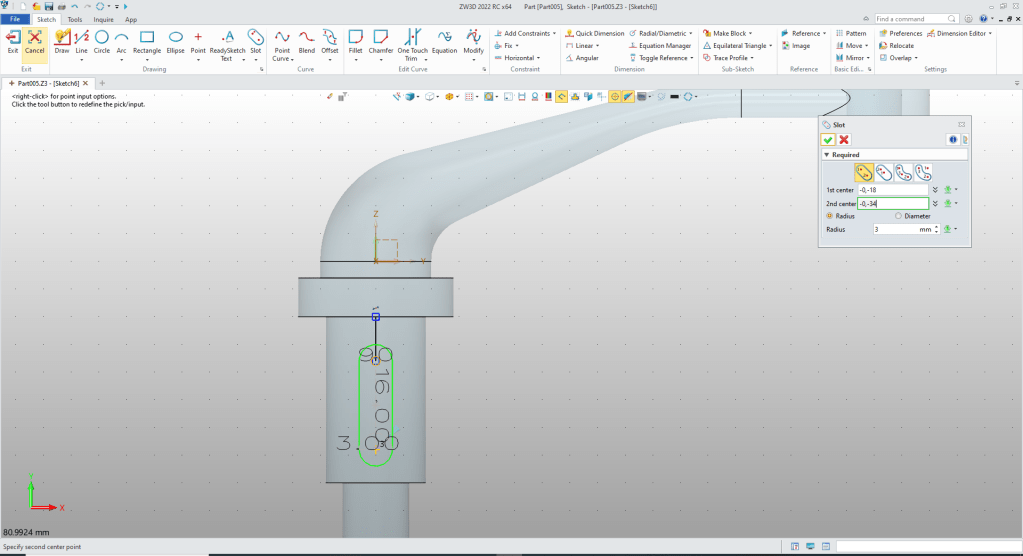
We create a sketch on Z-Y plane and create the slot.
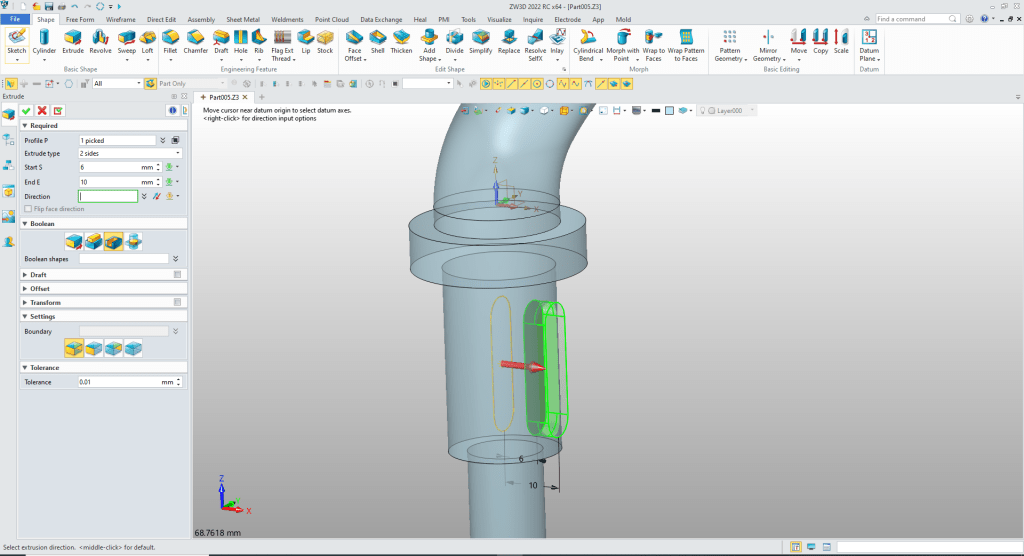
We extrude the sketch and set to remove.
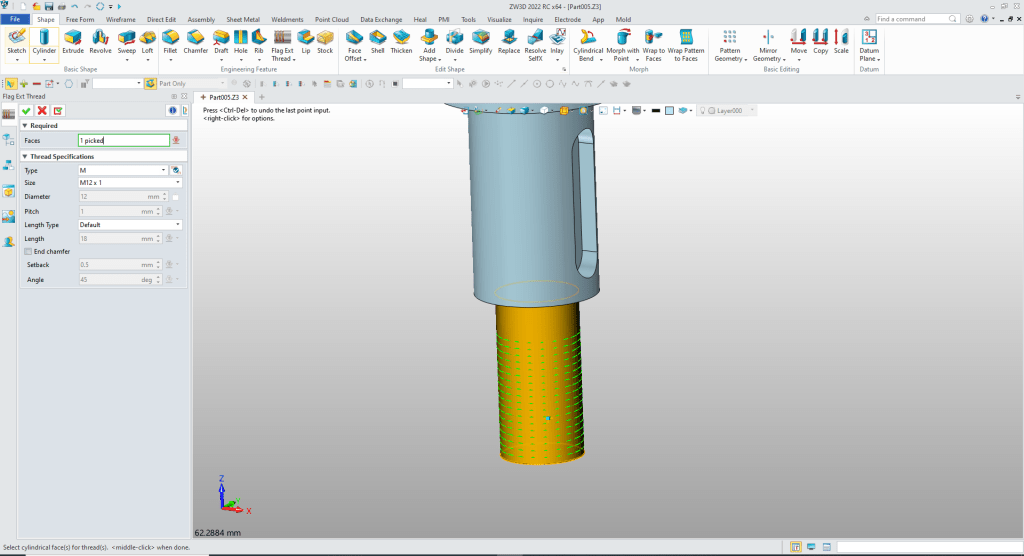
Now for the thread.
ZW3D thread command is very simple.
We add our radii and chamfers and we are done.
Here is the drawing.

You can see more on modeling techniques here.
3D Modeling Techniques Defined
Please feel free to stop by our website below for a variety of articles on the State of our Industry, interesting articles on 3D CAD Productivity and a few of our projects!

Viewpoints on Today’s 3D CAD and Engineering Industry
TECH-NET Engineering Services!
We sell and support IronCAD and ZW3D Products and
provide engineering services throughout the USA and Canada!
Why TECH-NET Sells IronCAD and ZW3D
If you are interested in adding professional hybrid modeling capabilities or looking for a new solution to increase your productivity, take some time to download a fully functional 30 day evaluation and play with these packages. Feel free to give me a call if you have any questions or would like an on-line presentation.
For more information or to download IronCAD or ZW3D
Joe Brouwer
206-842-0360
 TECH-NET, INC