
ZW3D 3D Modeling Fun!
Designing with Shapes!
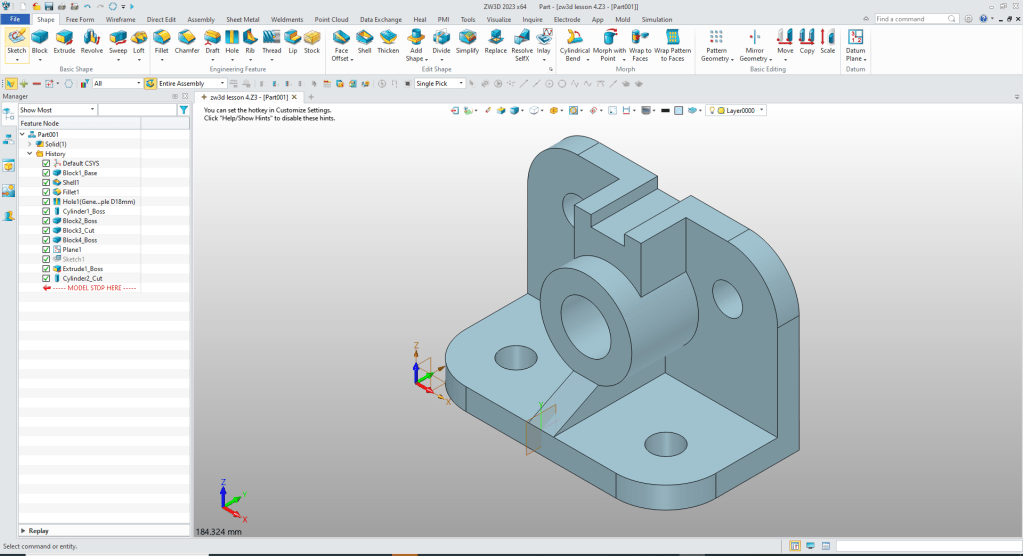
I saw this great simple part and it would be fun to create a lesson.
Download ZW3D and follow along.
Here is the drawing.

This lesson is for those that have a good basic knowledge of solid modeling.
ZW3D is a sketch based system so it is easy for the major CAD system users to get up to speed fast. But it also has Primitive Shapes available that can eliminate the need to sketch and extrude in many cases.
Watch how fun this is with the added functionality of primitive shapes.
We will use primitive shapes to create this model except for one sketch!
The Ultimate 3D CAD System
We will set the units to MM an insert a Block Shape and size it.
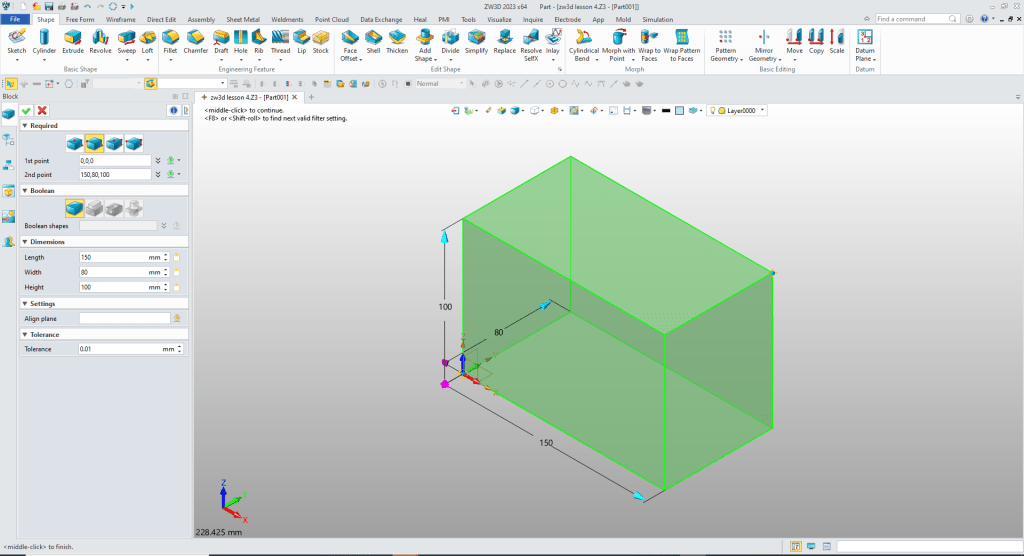
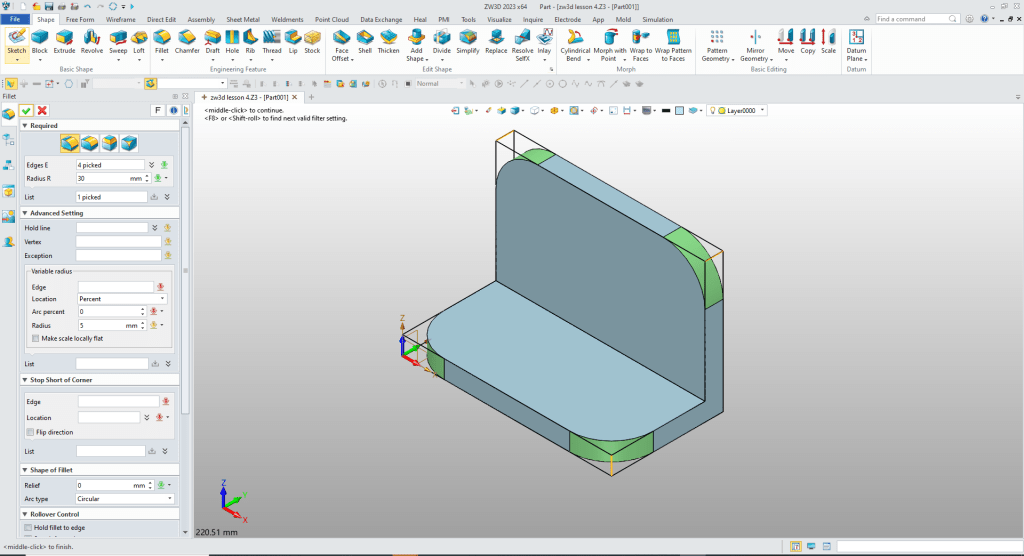
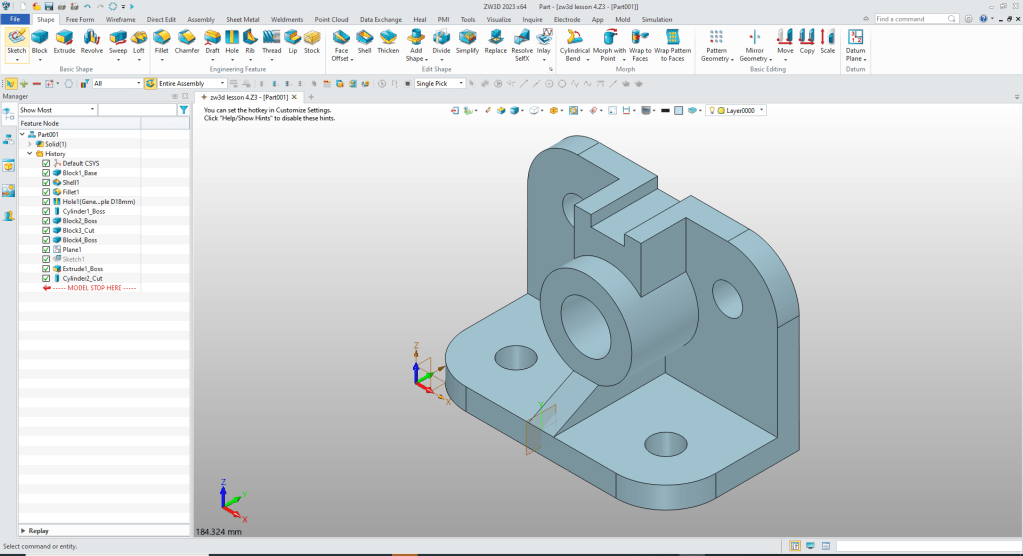
When you design with shapes you use a different paradigm when modeling. We will shell the block to 13mm and add the 30mm fillets.
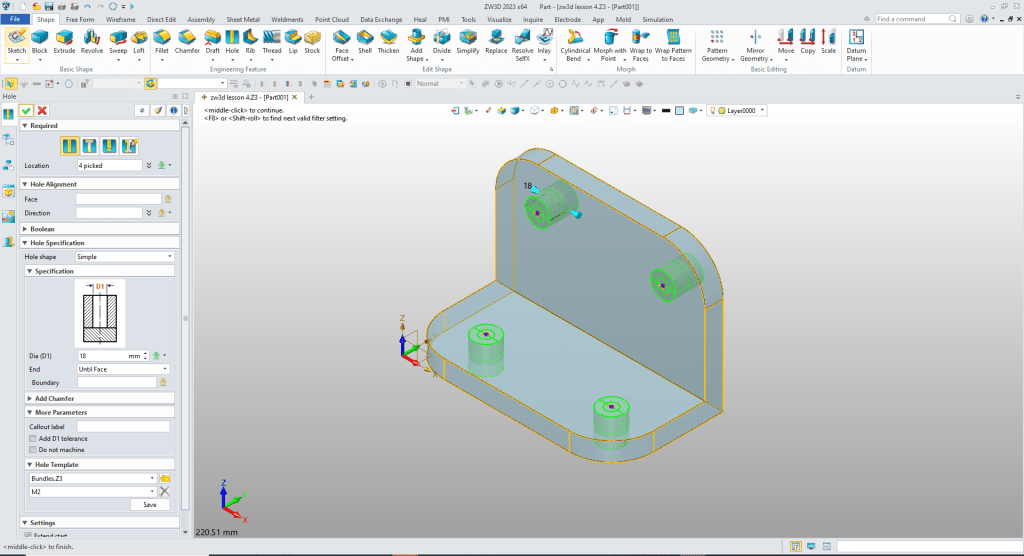
We will use the Create Hole Feature here so we can easily edit the holes later. If we created the holes with the Cylinder Shape it would create 4 individual holes. We reference the center of the fillets to locate the holes.
We insert a Cylinder Shape, locate it and size it and set the option to add.
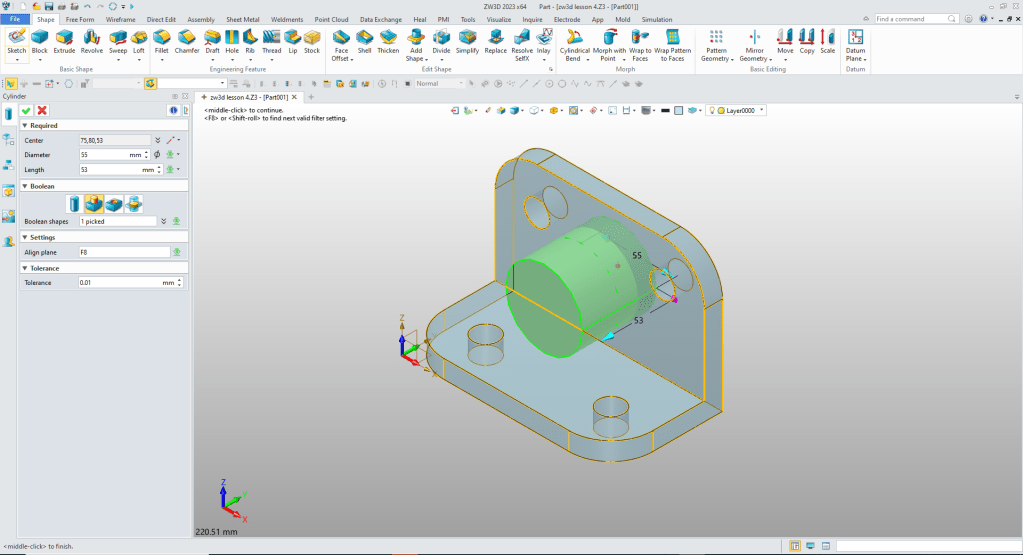
We insert a Block Shape, locate and size it set the option to add.
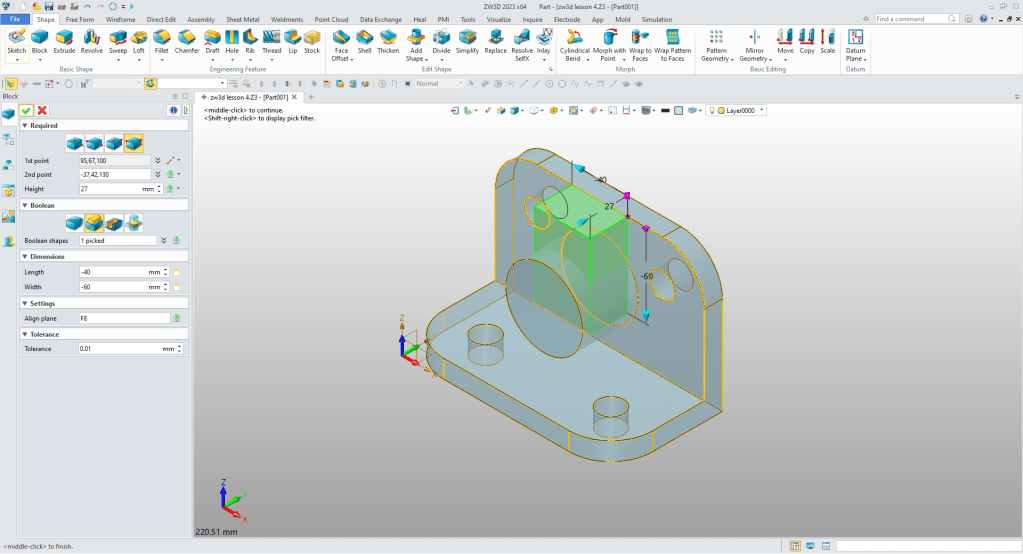
We insert the top Block Shape, locate it, size it and set it to remove.
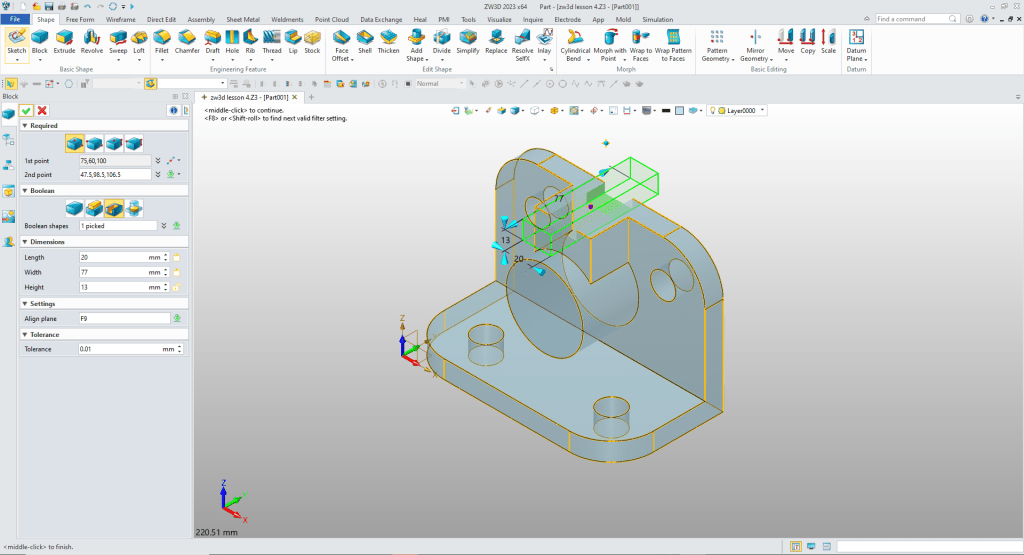
We again insert a Block Shape, locate it and size it and set the option to add.
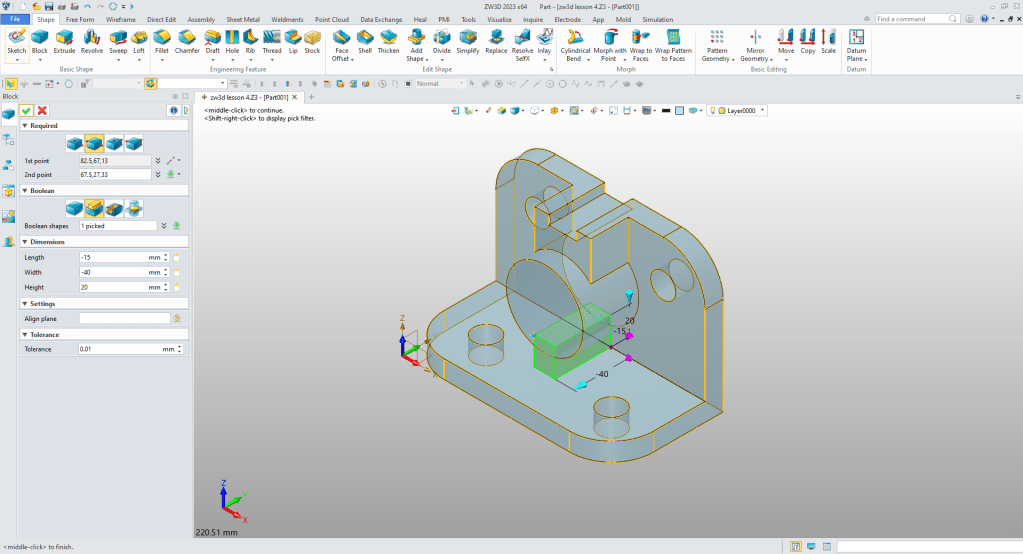
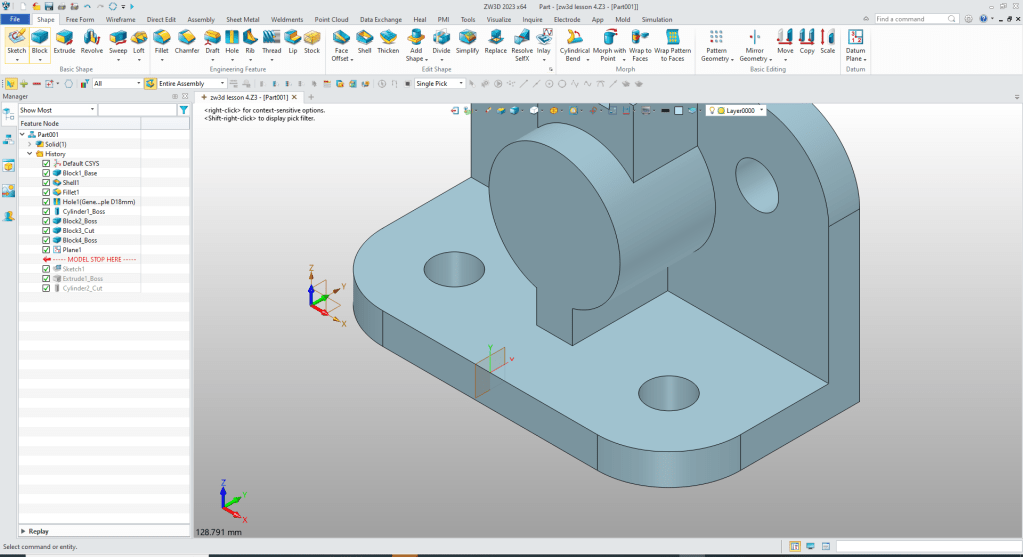
For the wedge shape at the front, we have to create a sketch. We create a datum plane at the midpoint of the model.
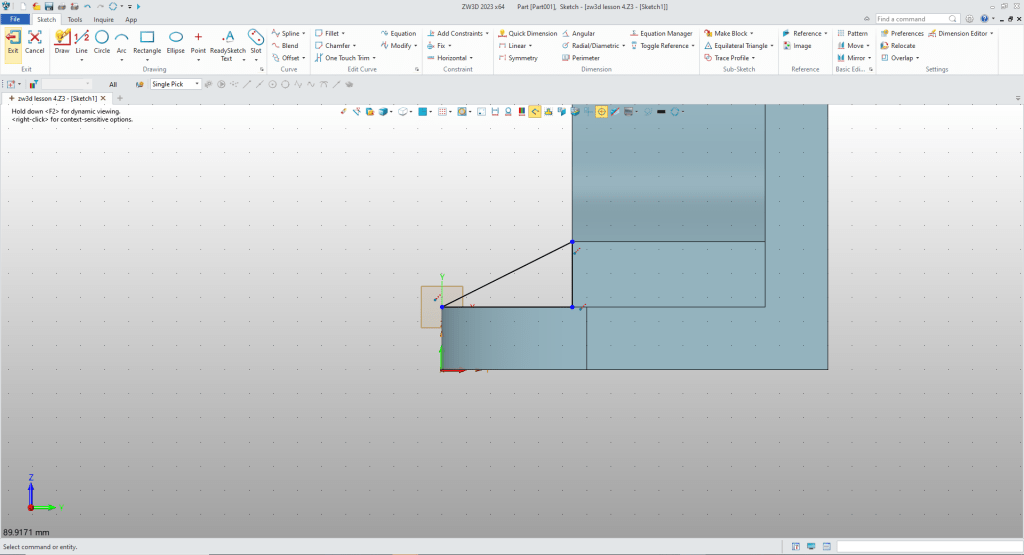
We go to the sketch mode and create the wedge. You can see I use what I call “StreamLined Sketching” where I do not use constraints. I just use the existing corner points from existing geometry to create the entities.
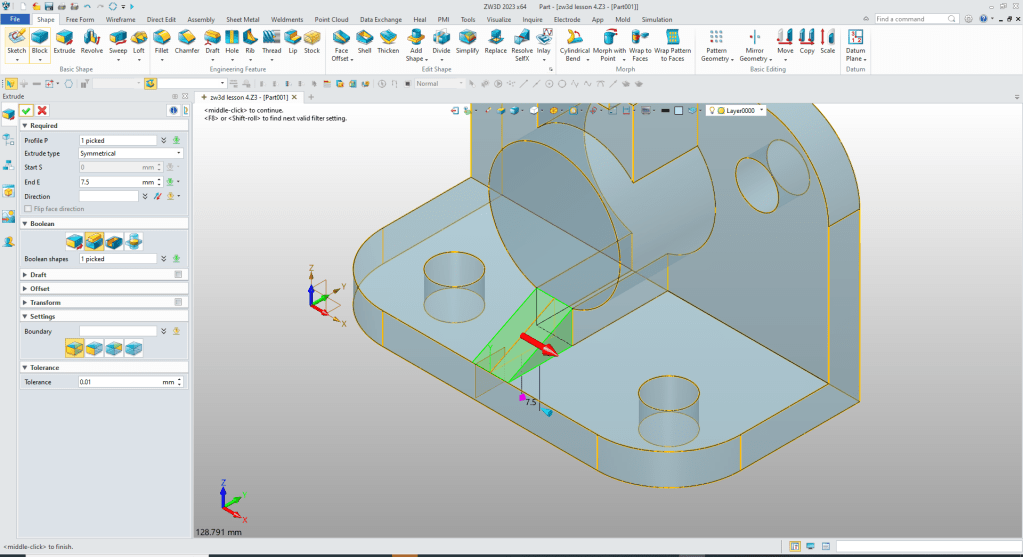
We exit the sketching mode and extrude the wedge using the symmetry option and set the option to add.
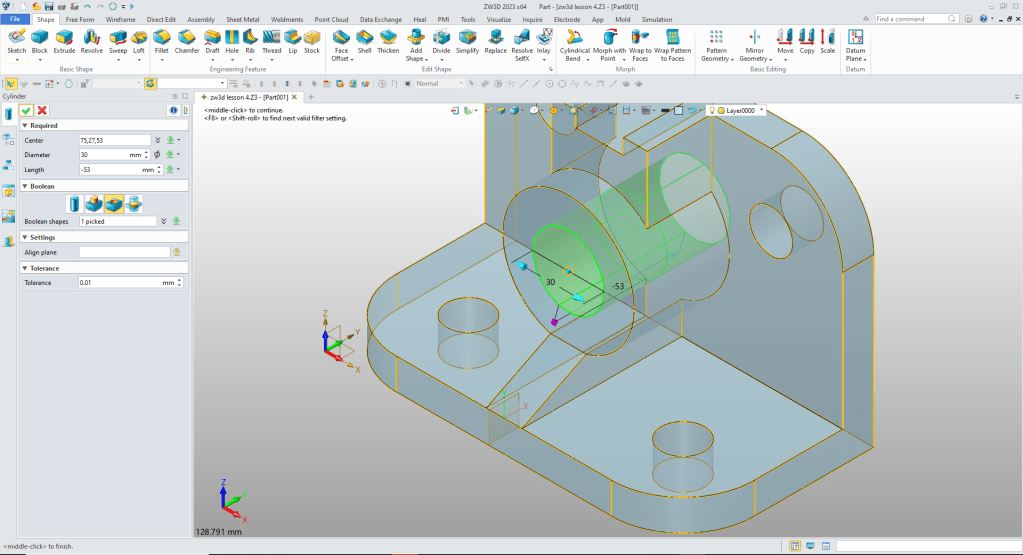
We insert a Cylinder Shape at the center of the existing cylinder and size it and set the option to remove.
We are done with our part. Will we always design with shapes? No, it is an added function to aid in your design. You will probably never make a “circle” sketch again to create a hole or boss.
We have some great lessons comparing IronCAD and ZW3D to other popular modeling systems using Feature Based Modeling and Streamlined Sketching.
3D Modeling Techniques Defined
Please feel free to stop by our website below for a variety of articles on the State of our Industry, interesting articles on 3D CAD Productivity and a few of our projects!

Viewpoints on Today’s 3D CAD and Engineering Industry
TECH-NET Engineering Services!
We sell and support IronCAD and ZW3D Products and
provide engineering services throughout the USA and Canada!
Why TECH-NET Sells IronCAD and ZW3D
If you are interested in adding professional hybrid modeling capabilities or looking for a new solution to increase your productivity, take some time to download a fully functional 30 day evaluation and play with these packages. Feel free to give me a call if you have any questions or would like an on-line presentation.
For more information or to download IronCAD or ZW3D
Joe Brouwer
206-842-0360
 TECH-NET, INC