
Please go to here to see the other lessons.
ZW3D vs Solidworks Assembly Lesson 22
What is the advantage designing with shapes?
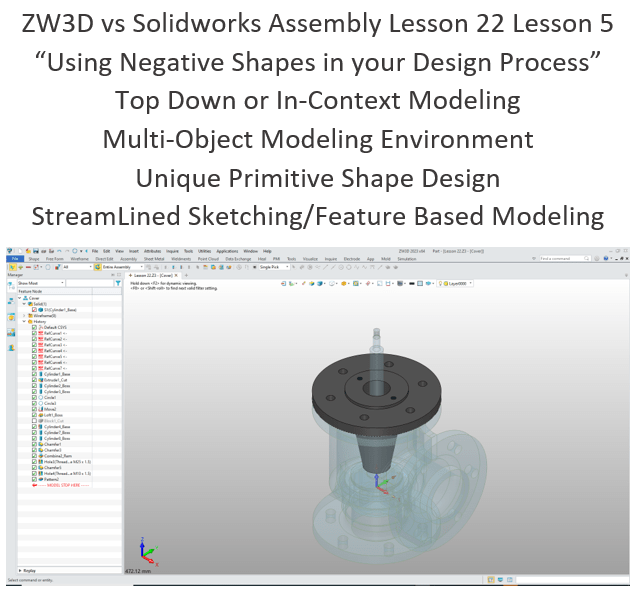
Using shapes eliminates the need to create a sketch and extrude. The above part has 14 shapes and 2 sketches. This is a simple part and we have eliminated 14 constrained sketches and 14 extrusions. Imagine a complex part. Give this concept a try today.
Design of Water Control Valve in Solidworks
ZW3D vs Solidworks
While creating 3D models from drawing is the very best way to learn 3D CAD and maybe some design techniques is does not expose the designer to the design flexibility necessary in product design. IronCAD is all top down due to the single model environment. Creating mating parts is a cruise. But modeling is just one aspect of this well designed productive 3D CAD system.
I like to show step by step lessons So you can see the commands being used.
I always create the part before I watch the Video, so as to not taint my process. Of course, there are a multitude of ways to create a model. There is no right way, just more productive ways. From what I have seen from these very complicated processes done by the Solidworks Presenters, it is not just limited by the 3D CAD system.
Here is the drawing if you would like to follow along.
Download ZW3D and follow along

Please review Lesson 1, we show how to set up ZW3D the Multi-Object environment for an assembly.
We are doing effective top down or in-context design. This is an option in the ZW3D design process. We open the assembly and show the “Body” since we will be using it for a reference location in our top down. We select the assembly mode.
We select the “New To Insert” option and create the “Cover” component.

It automatically activated the new component. We go to the assembly edit mode and create a reference on the relevant entity.
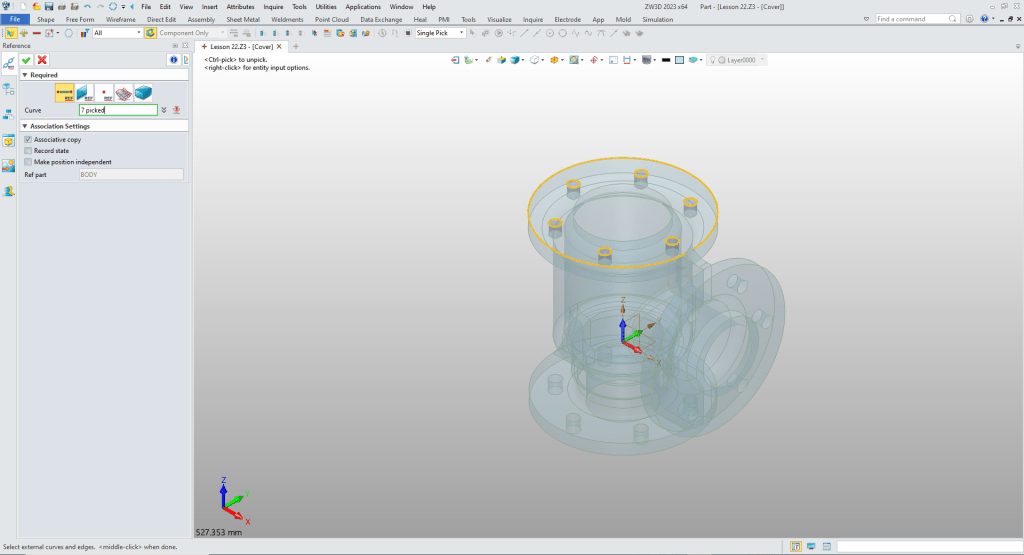
We insert a cylinder, locate it at the center of the reference arc and size it.
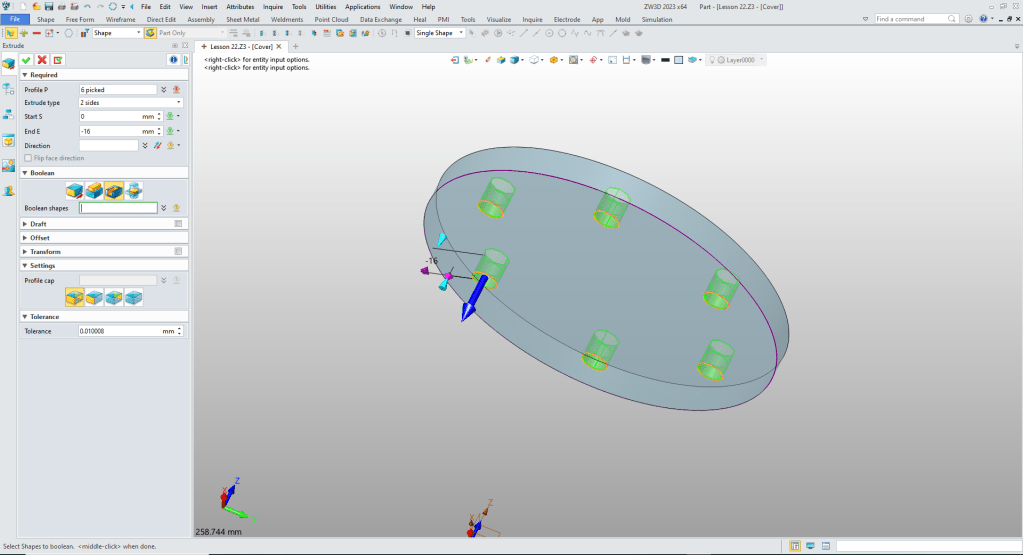
We can turn off the body. We then select the 6 circles to extrude to the correct height and set to remove.
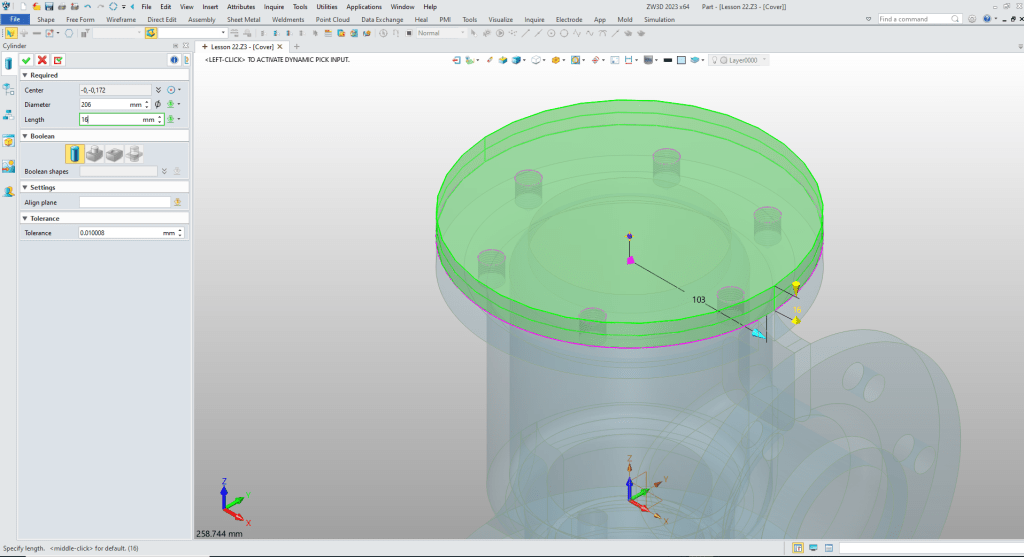
We insert the top cylinder, locate it at the center of the top face, size it and set to add.

We insert a cylinder at the bottom center of the large cylinder and size it.
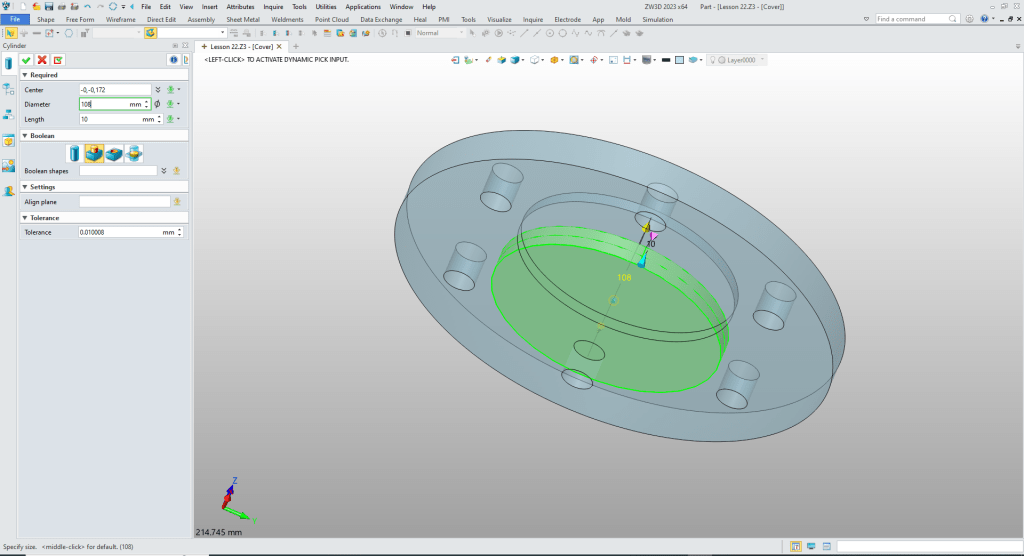
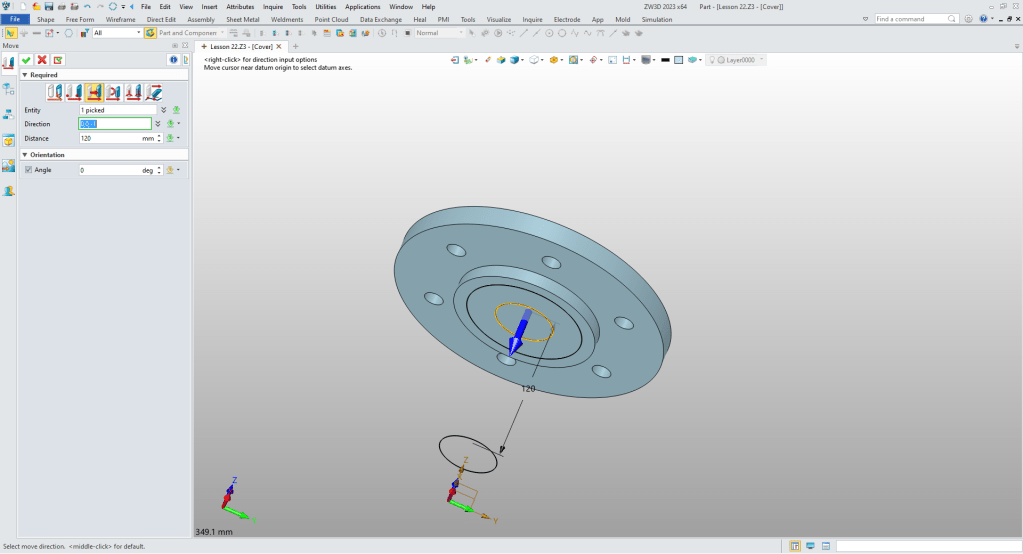
We two wireframe circles and move the smaller circle.
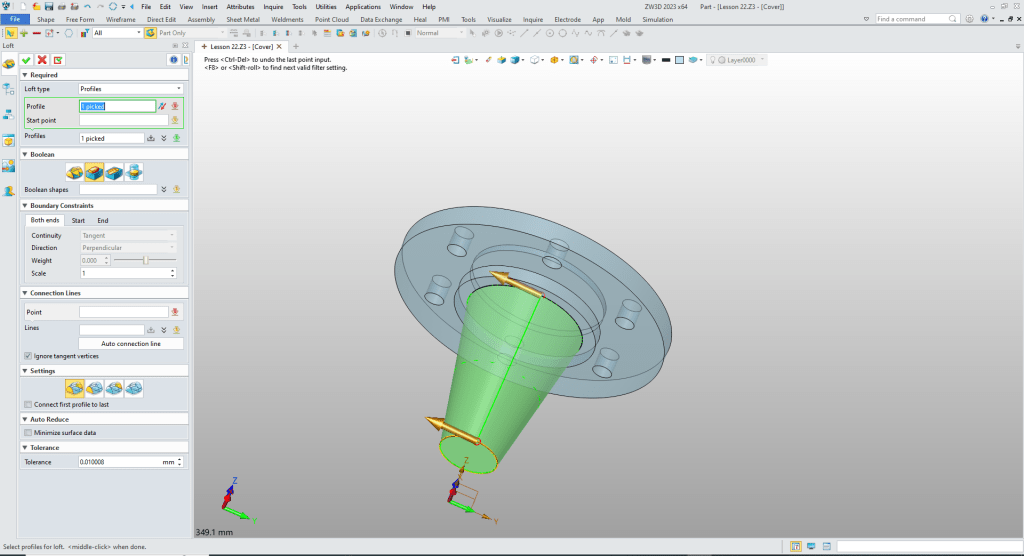
We now use the loft command to create the new shape. We blank the two reference circles.
We are going to some thing quite a bit different we are going to create a negative shape. Now we could sketch the internal shape, but we are doing feature based modeling with minimized sketching.
Creating Internal Shapes with Boolean Operations
We are going to do something quite different. We are going to design a positive shape and Boolean subtract it to create an internal feature.
Many times there are internal features that would be much easier if they were positive shapes. Here is an example of that type of design.
It is from this article.
Reverse Engineering 2015 AK-47 Project
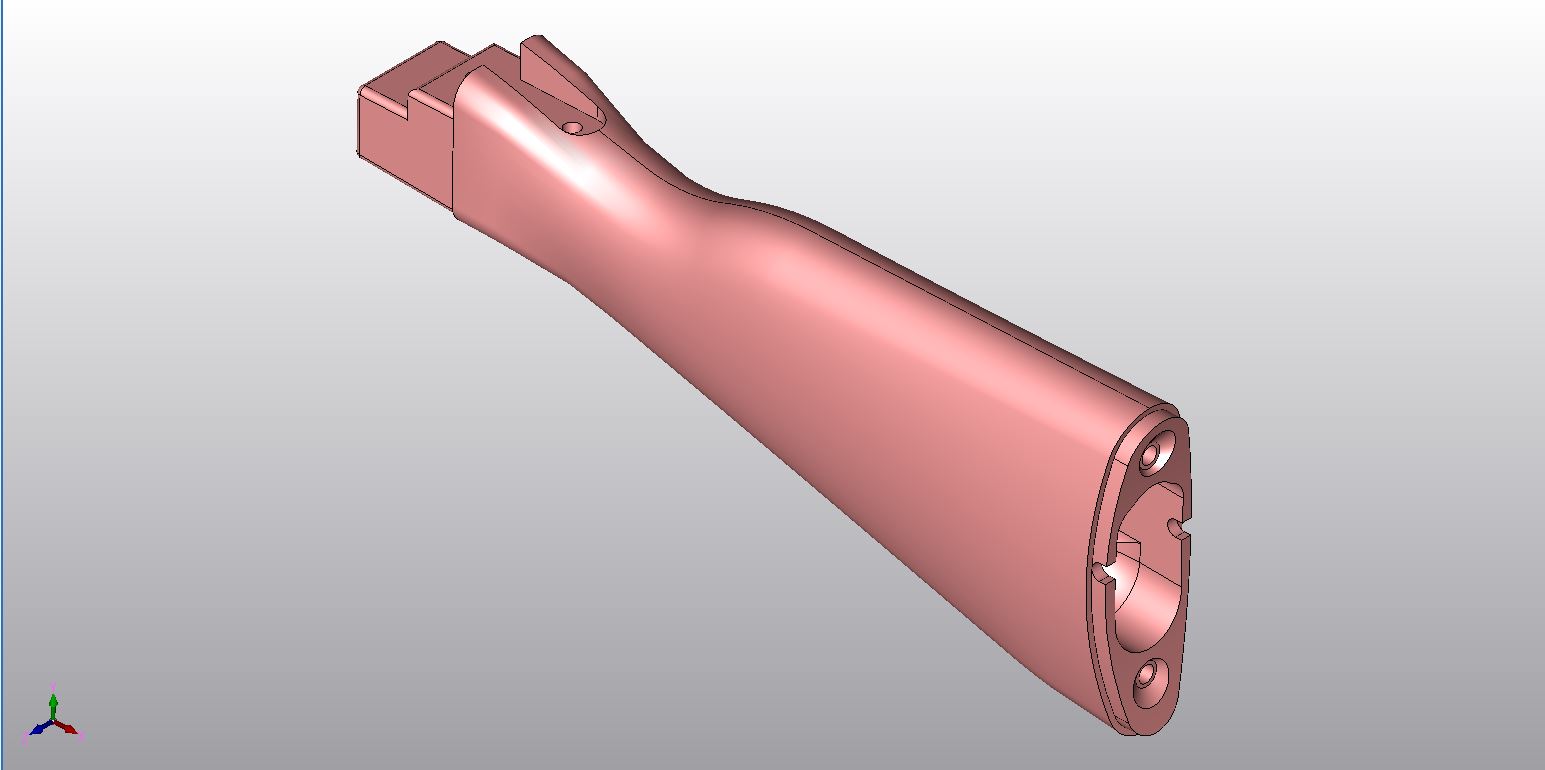
Sometimes it is easier to create a positive part and Boolean subtract it than struggling to design it inside the existing part. Here is the cavity in the back of the stock before subtracting it.
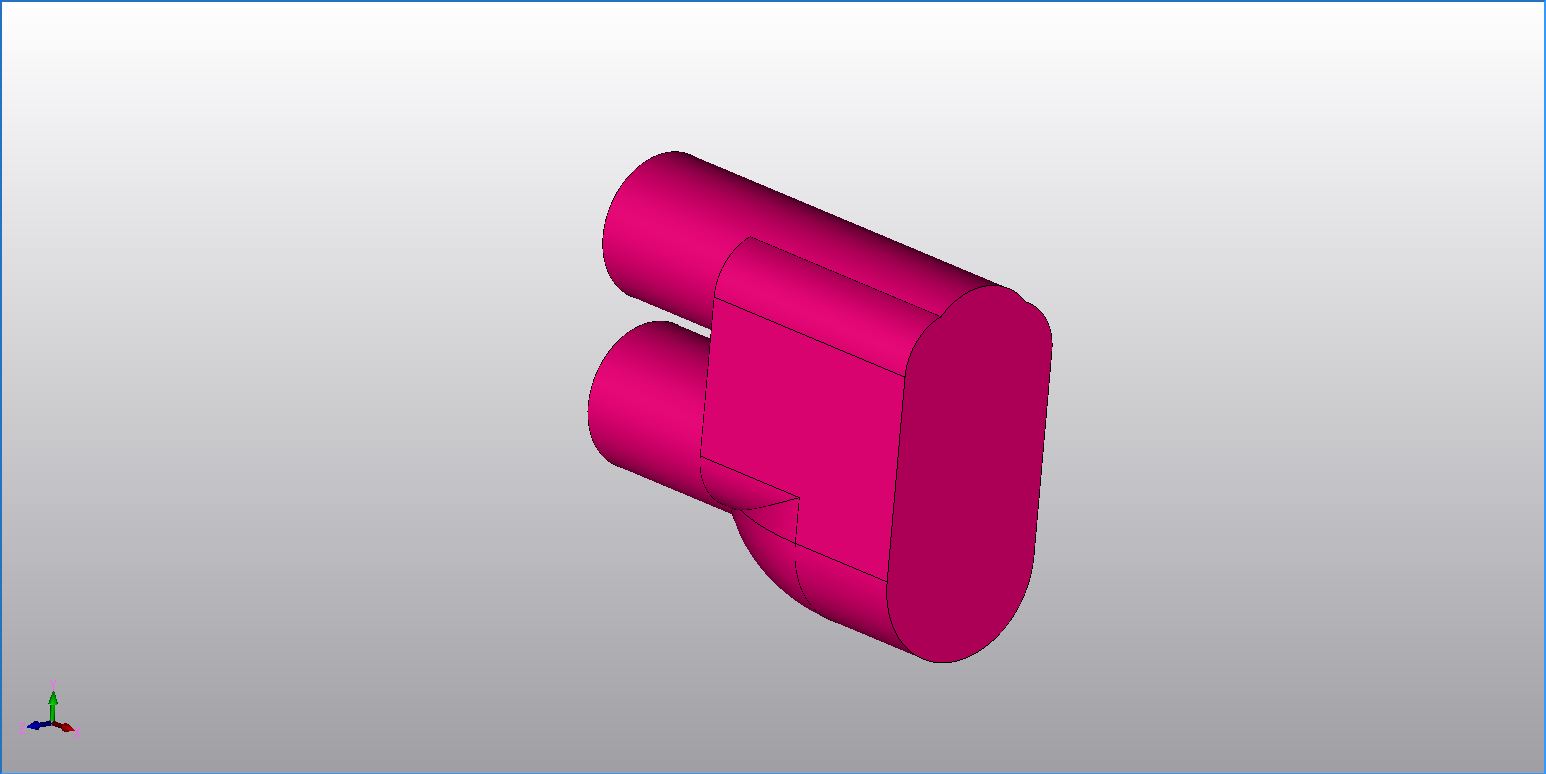
Here is the completed part. You can see that the shape is subtracted.
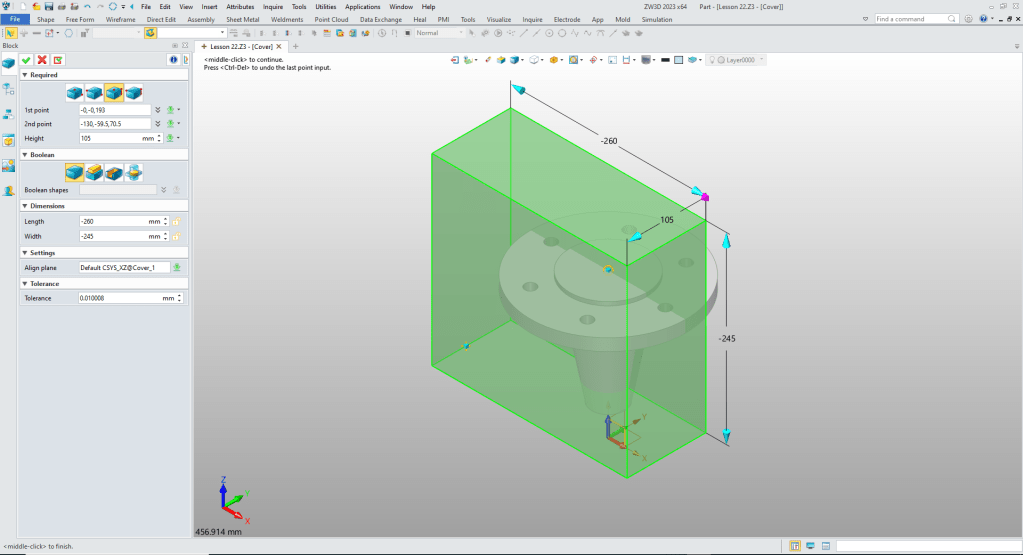
We insert a block, size it and set it to remove for ease of modeling.
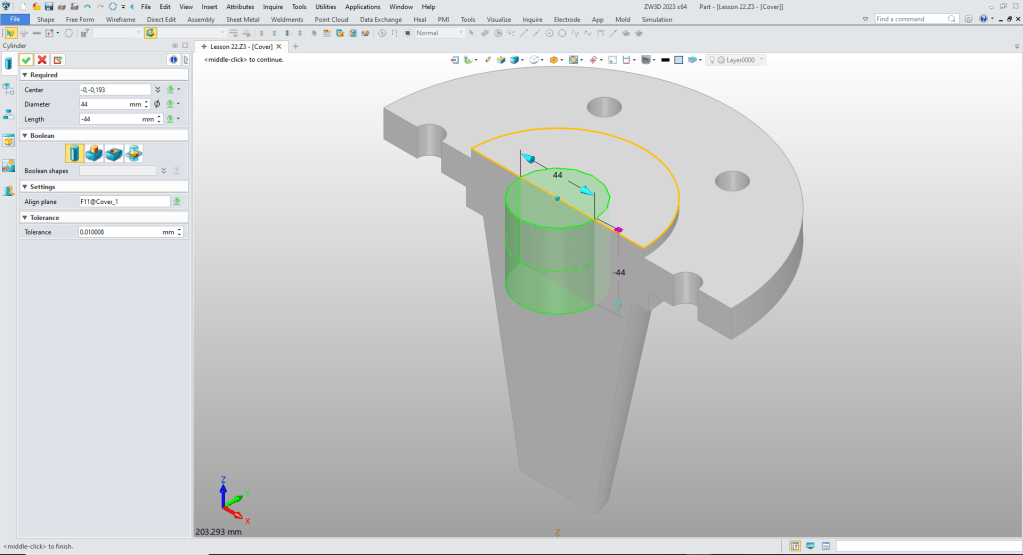
We insert a cylinder at the center of the top cylinder and set to “Base” thereby creating a new standalone shape.
We change the color. Now we insert a cylinder at the bottom center of new cylinder and set it to add.

We hide the original shape. We insert another cylinder at the center bottom of the last cylinder and set it to add.
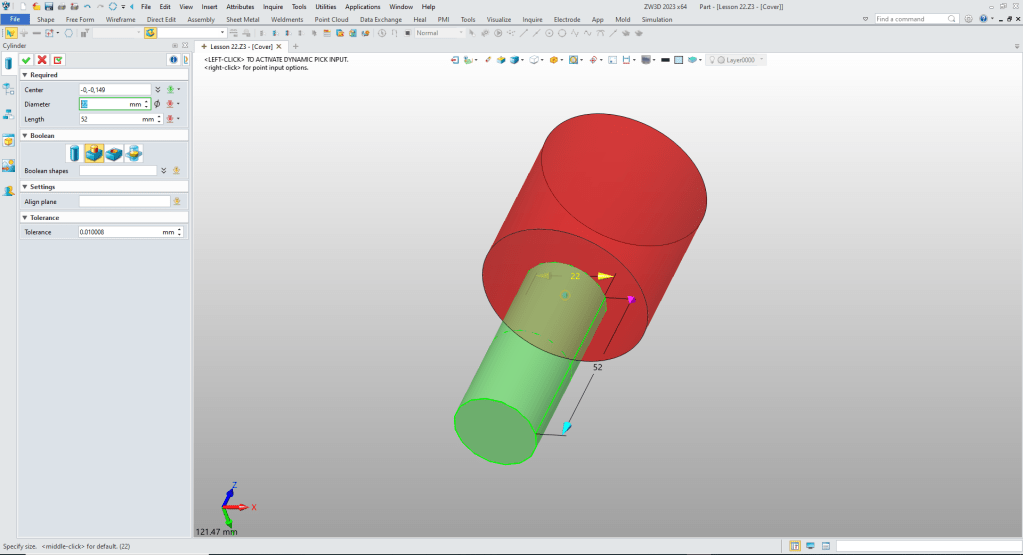
Insert the next cylinders, locate and set to add.
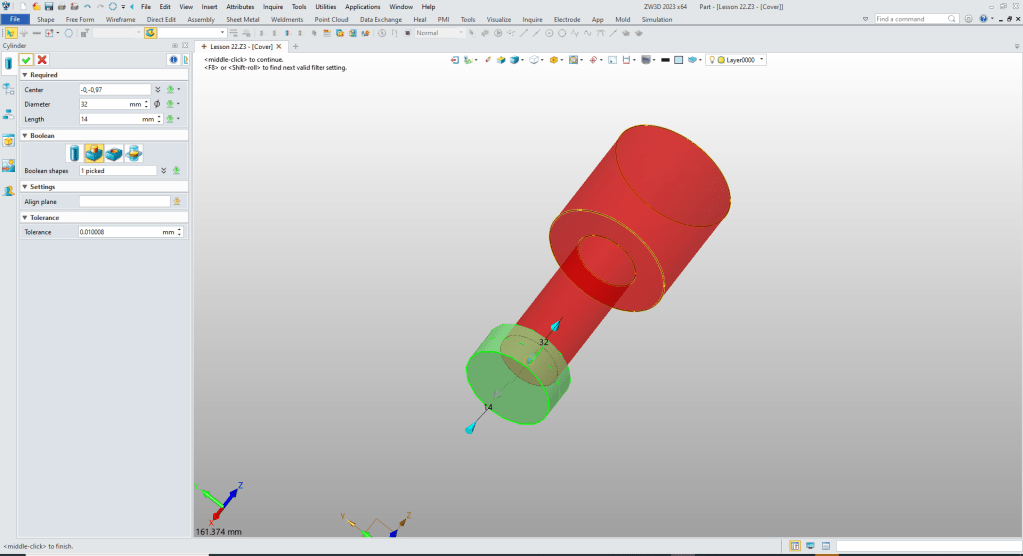
Now we add the chamfers.

Now we are ready to remove the shape.
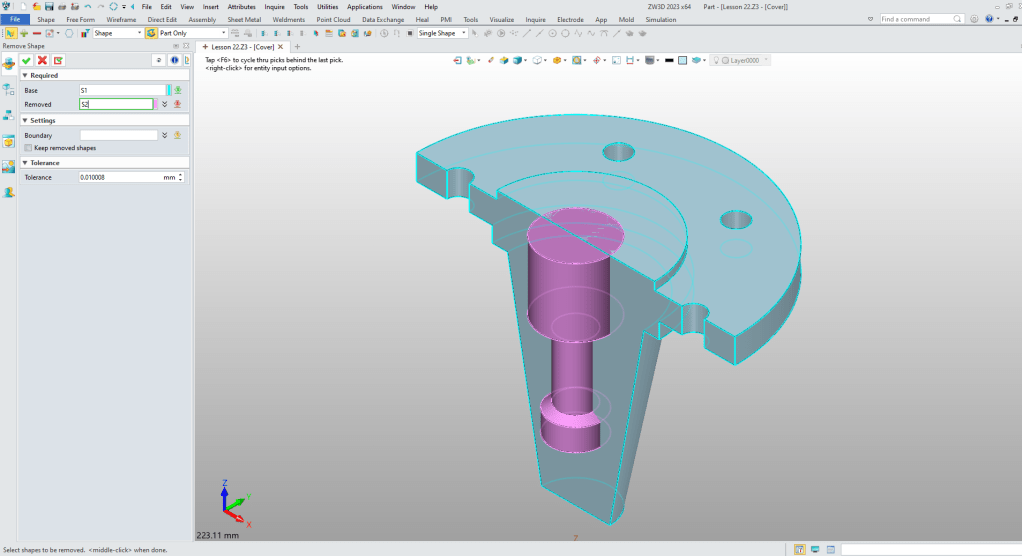
We now see we have a single solid.

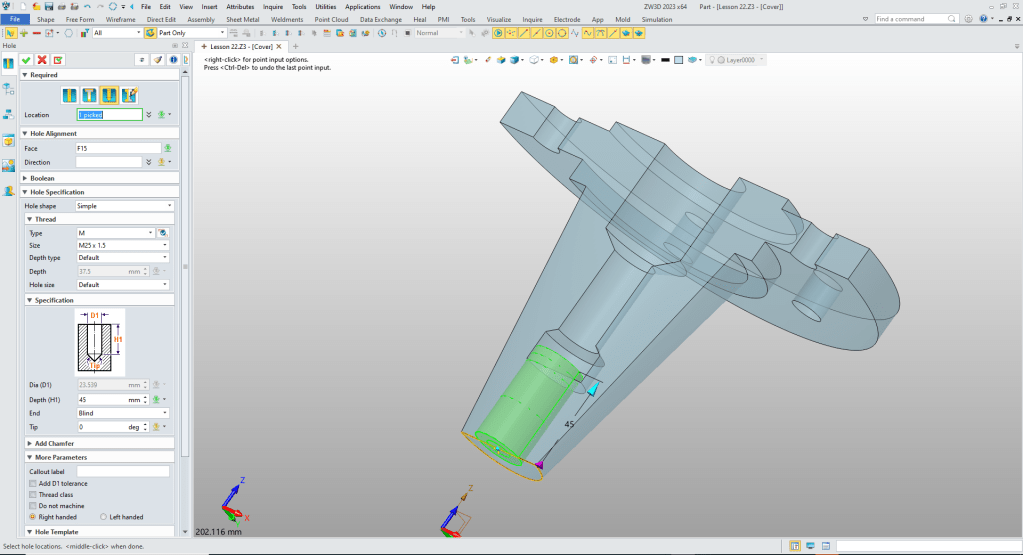
Now to add the threaded hole.
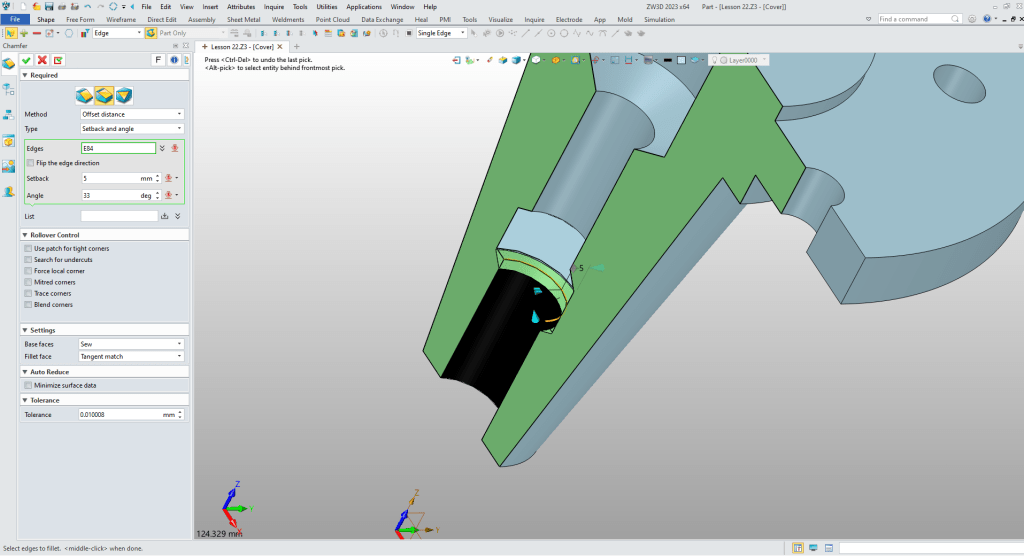
Now for the chamfer.
We create the threaded hole.
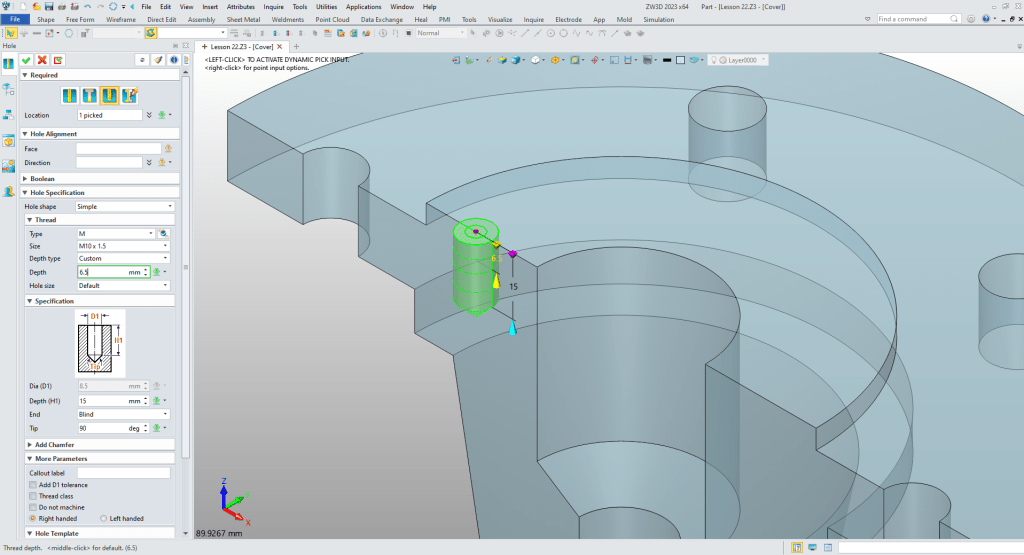
We pattern the hole.
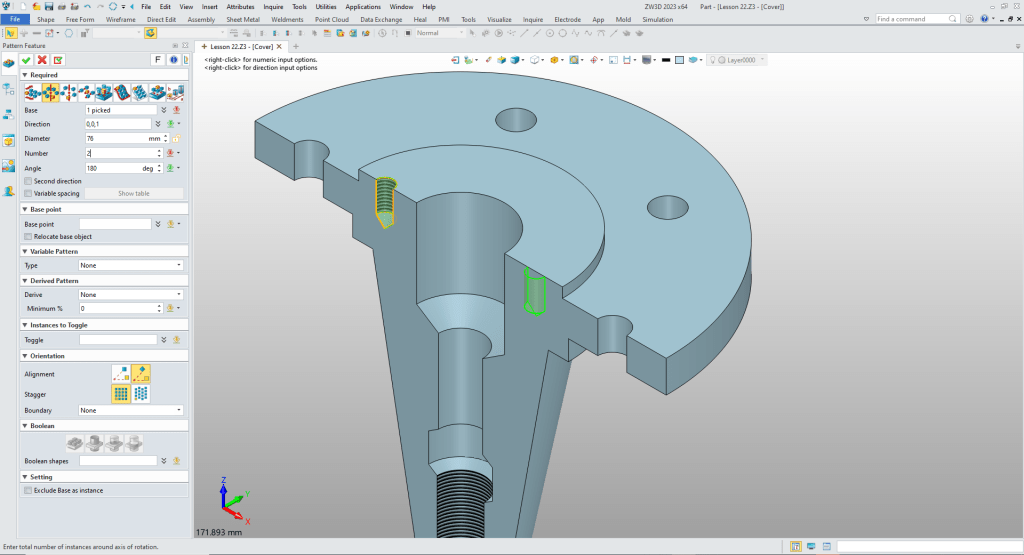
We are done with the part. No sketches.

Please go to here to see the other lessons.
ZW3D vs Solidworks Assembly Lesson 22
It is very important that you look into how you or your engineers are creating the parts. Streamline Sketching and Feature Based Modeling is easy to learn and implement. It, alone, will increase productivity 10X. Now, IronCAD with its unique integrated history/direct edit functionality can increase your productivity another 5X or more with changes! Again, time is money in engineering.
More on Streamline Sketching and Feature Based Modeling.
3D Modeling Techniques Defined
To experience this increased level of productivity, please download ZW3D for a 30 day evaluation. Legacy data is no problem, ZW3D can read the native files of all of the popular programs. ZW3D is a great replacement for the subscription only Autodesk and PTC products.
For more information or to download ZW3D
Give me a call if you have any questions. I can set up a skype or gotomeeting to show this part or answer any of your questions on the operation of IronCAD. It truly is the very best conceptual 3D CAD system.
TECH-NET Engineering Services!
We sell and support IronCAD and ZW3D Products and
provide engineering services throughout the USA and Canada!
Why TECH-NET Sells IronCAD and ZW3D
If you are interested in adding professional hybrid modeling capabilities or looking for a new solution to increase your productivity, take some time to download a fully functional 30 day evaluation and play with these packages. Feel free to give me a call if you have any questions or would like an on-line presentation.
For more information or to download IronCAD or ZW3D
Joe Brouwer
206-842-0360
 TECH-NET, INC