
3D Modeling Techniques
ZW3D vs Solidworks Lesson 17
Designing with Shapes!
No Sketching Please!

The modeling technique is hugely responsible for the level of productivity. Those of you that are only trained in the sketch, sketch, constrain, constrain world are truly limited by not using the freedom of Streamlined Sketching and Feature Based Design, that is available in even the most Pro/e-ish of CAD systems. If your designers are designing in these very unproductive and time consuming processes it might be time to review your standard design processes. Don’t have any do you?
ZW3D is a sketch based system so it is easy for the major CAD system users to get up to speed fast. But it also has Primitive Shapes available that can eliminate the need to sketch and extrude in many cases.
I saw the following video challenge on linkedin and thought I would give it a try. I actually did it before I watched the video, so I did it a bit differently. This will give you an idea how different and flexible ZW3D is compared to the conventional Solidworks
Certified Solidworks Associate (CSWA) exam exercise
While creating 3D models from drawing is the very best way to learn 3D CAD and maybe some design techniques is does not expose the designer to the design flexibility necessary in product design. ZW3D can be set up one part per file or multi-object which offers incredibly flexible top down design. Creating mating parts is a cruise. But modeling is just one aspect of a well designed productive 3D CAD system.
ZW3D is one the few 3D CAD systems that has integrated drawings, so you can do complete projects or sub-assemblies in one file.
I would do a video, but I really am not good at it. So I will show you step by step. I will try and get IronCAD support to create one. They are very good.
I always create the part before I watch the Solidworks Video, so as to not taint my process. Of course, there are a multitude of ways to create a model. There is no right way, just more productive ways. From what I have seen from these very complicated processes done by the Solidworks Presenters, it is not just limited by the 3D CAD system.
Here is the drawing if you would like to follow along.
Download ZW3D and follow along
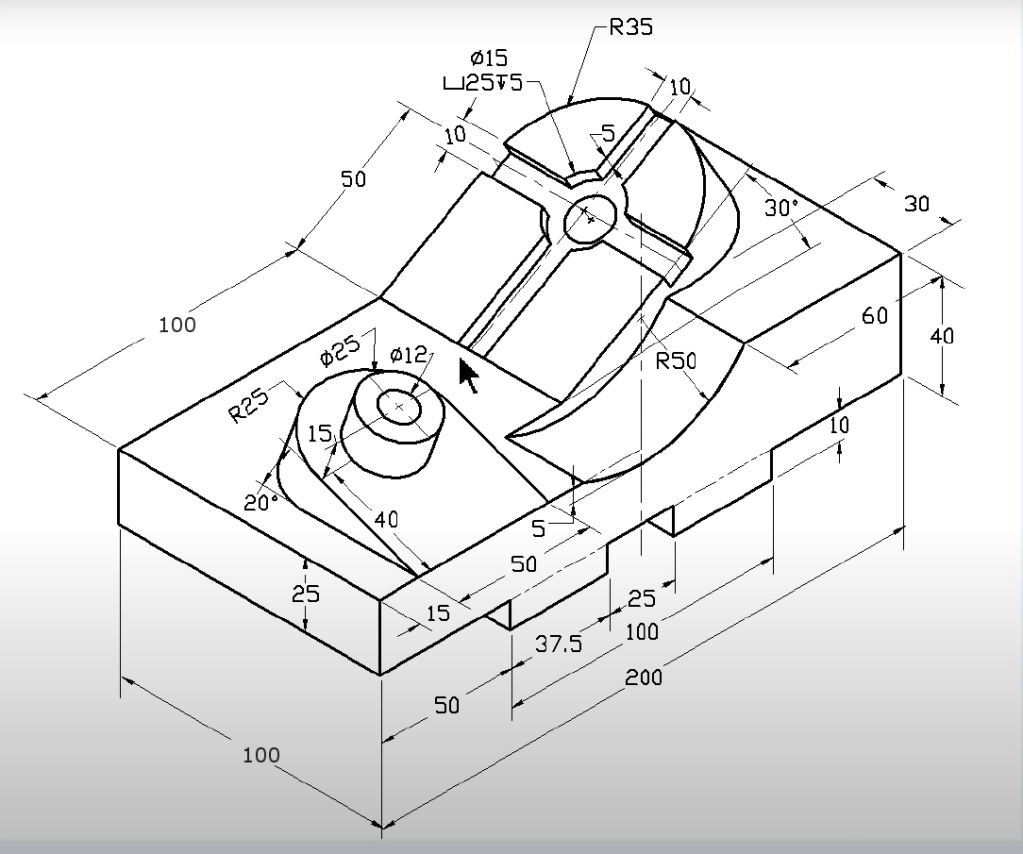
We will use primitive shapes only to model this part.
We will insert a block and size it.

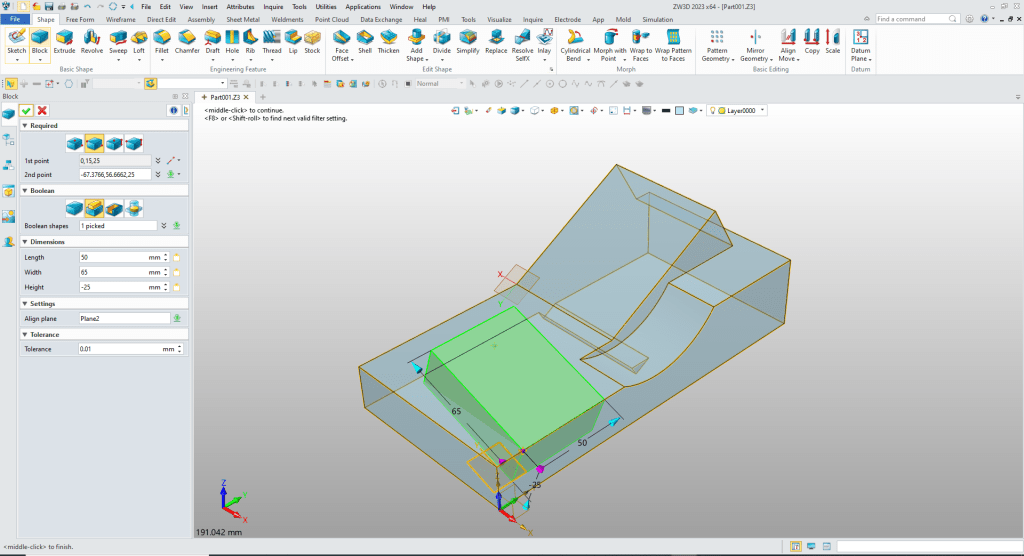
We will add another block, locate, size it and set it to add.

We insert a cylinder on the front face, you have an option to set the alignment plane. We just located it with the options and size it and set to remove.

We need to create a plane at 30 degrees for the diagonal face. We select create plane angle to face, select the face, axis and angle and point for the plane. Planes are easy to create in ZW3D.
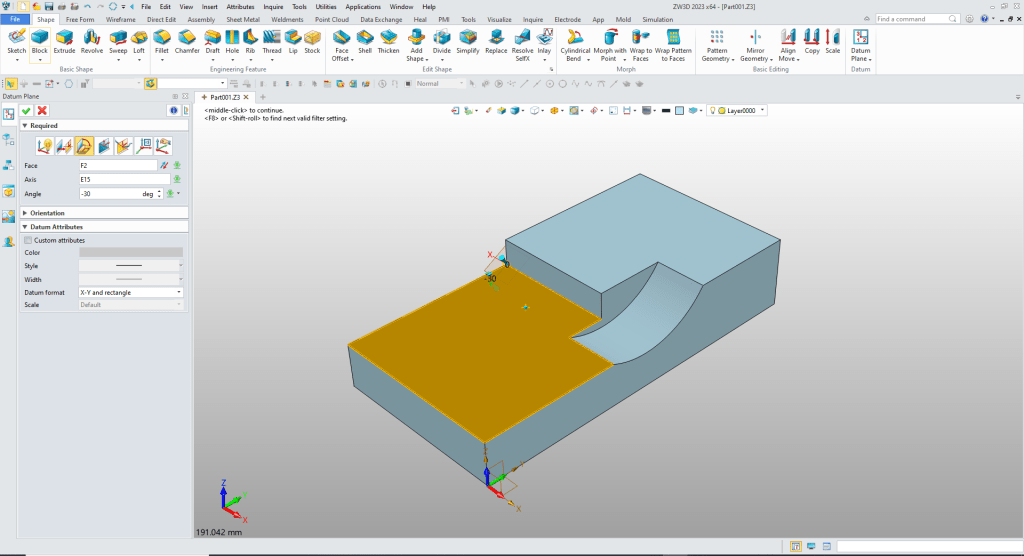
We insert a block and align it to the plane, locate and size it and set to add.
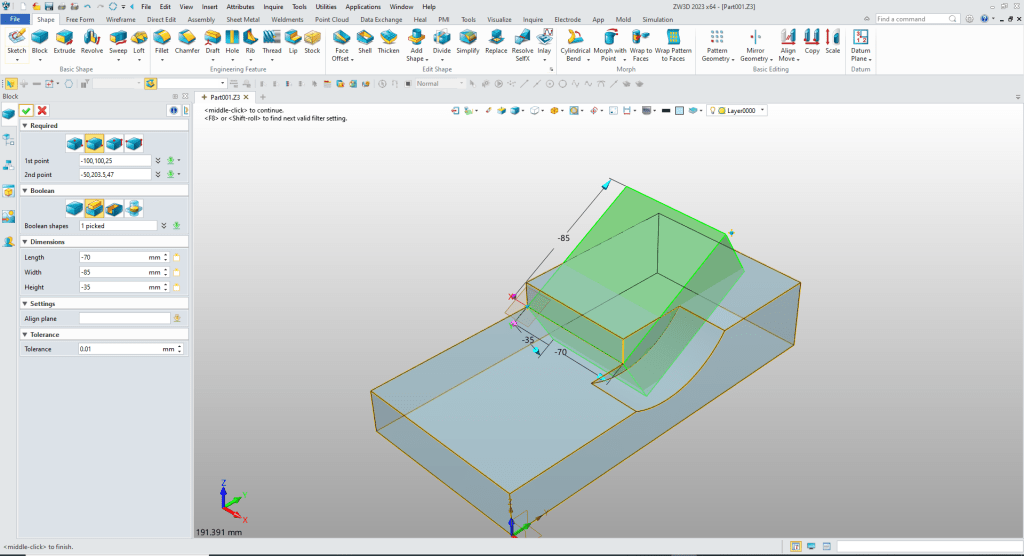
Now we have to remove the part of the resulting block. We insert another block on the diagonal face locate and size it and set it to remove.

Now we create another plane this time at 20 degrees.
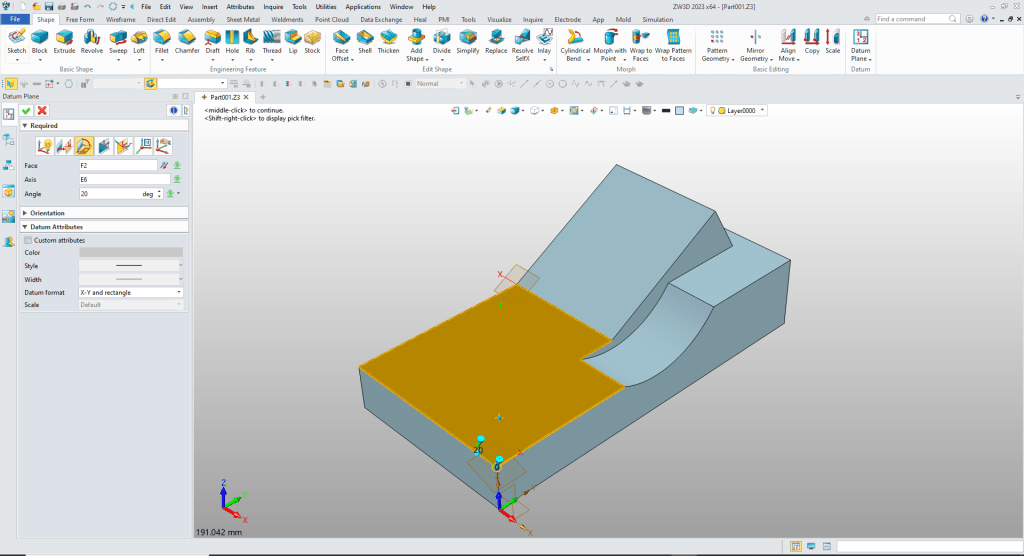
We insert another block, align it with the plane, locate and size it and set it to add.
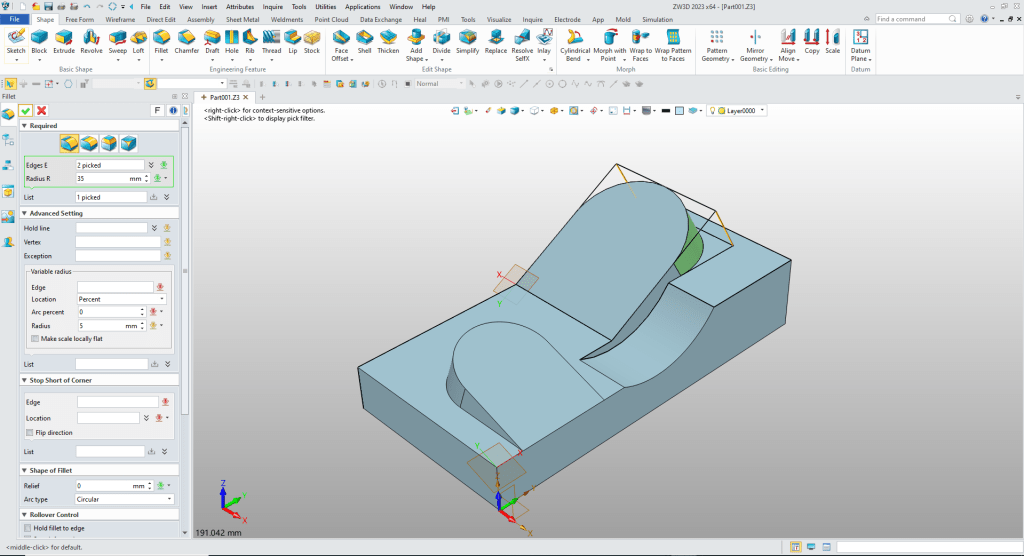
We now add the fillet to the top of the blocks.
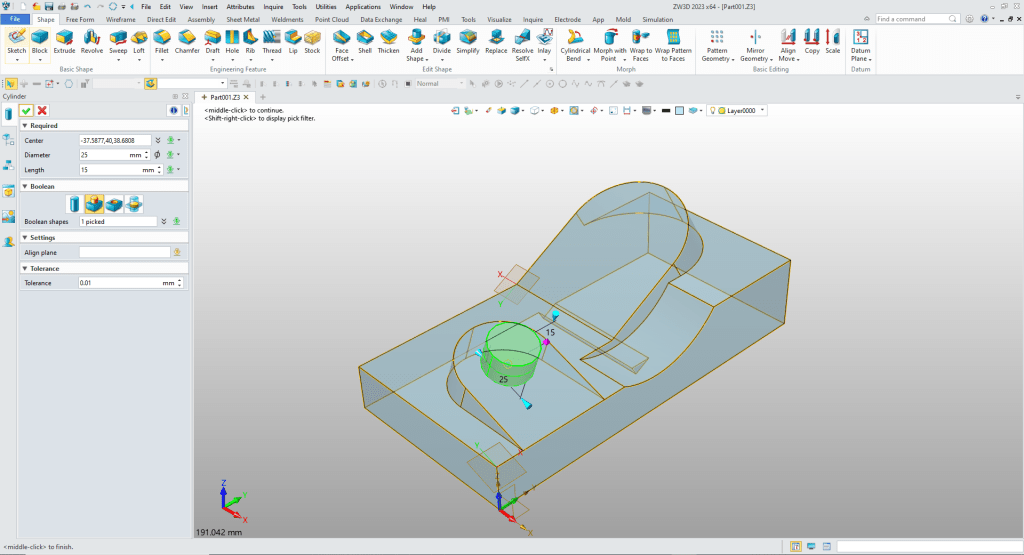
We insert a cylinder on the smaller shape, ZW3D recognizes the center and we just size it and set it to add.
We insert another cylinder at the center of the boss and it automatically recognizes the center and we size it and set to remove.
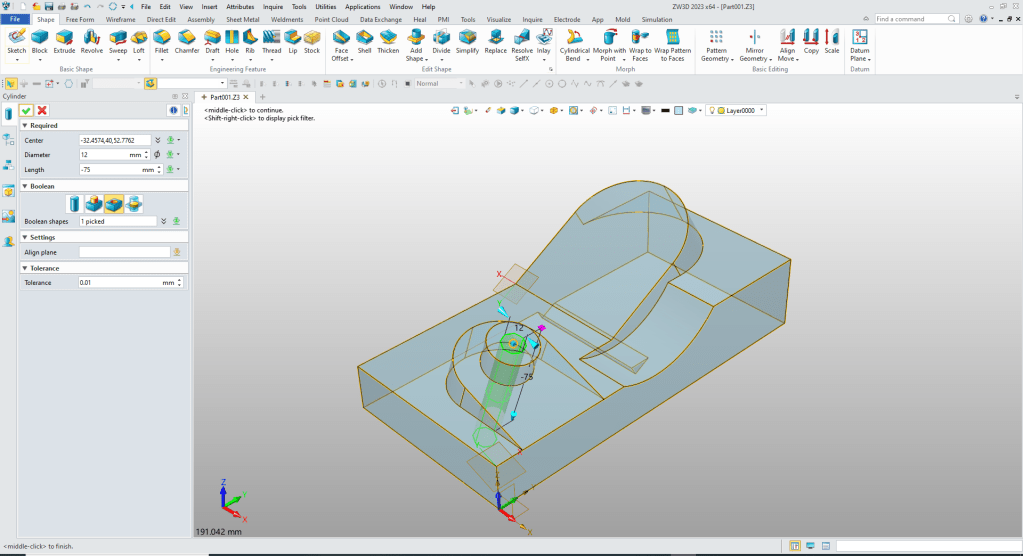
We insert another cylinder and place it at the center and size it and set to remove.
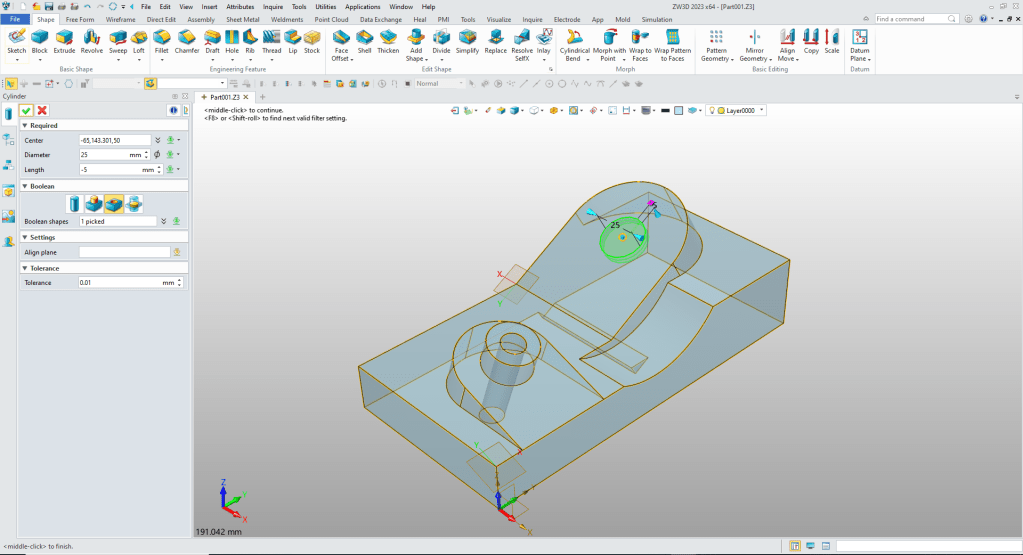
We insert the last cylinder to the center and size it and set to remove.
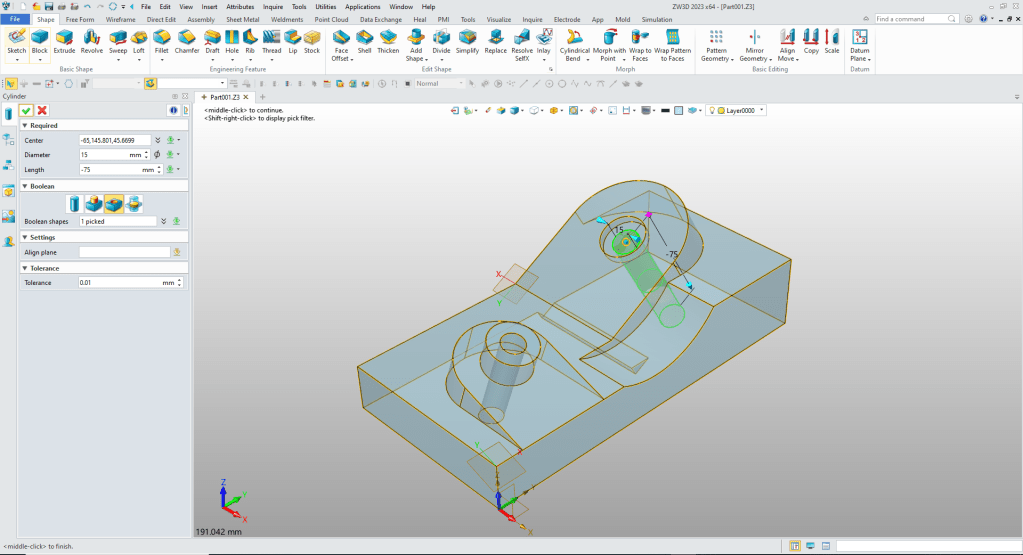
Now for the grooves. We will make the vertical one first. Nothing more than insert on the face and locating it, size it and set it to remove.
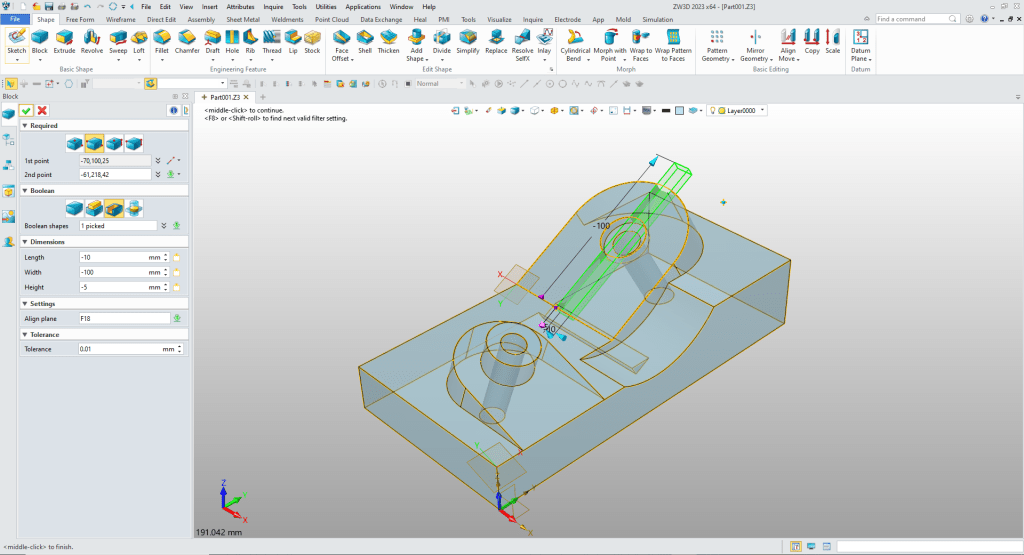
Now for the last groove, again we insert a block, locate and size it and set it to remove.

Now for the bottom shapes. Just another block on the bottom face locate, size and set it to add.
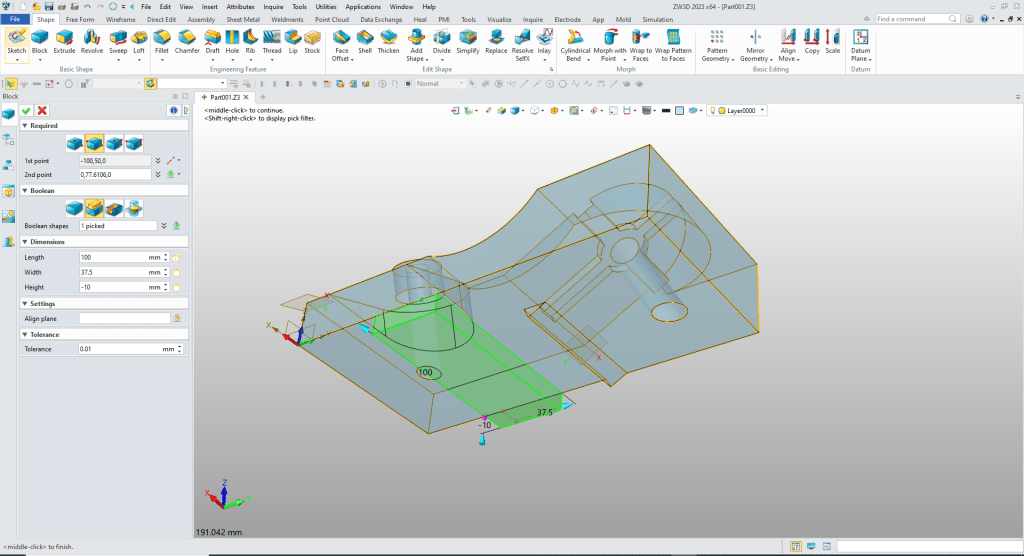
Now for the last block we just copy and paste it in the history and edit the location.
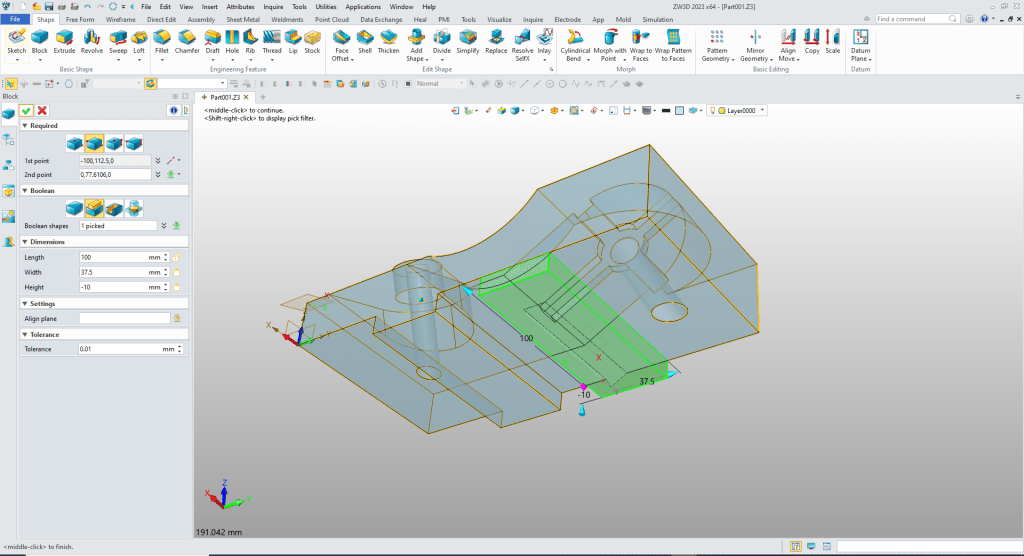
That completes the part. I had a lot of fun making this part. Working with shapes take a bit of learning, but when you are familiar with it, it offers a new level of design flexibility.
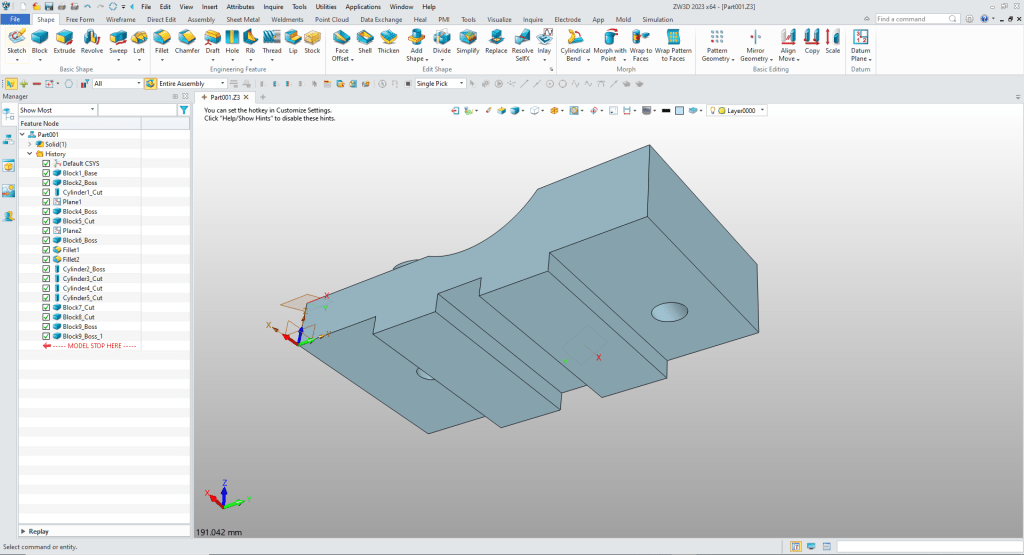
We blank the planes. Here is the finished part. Remember no sketches.
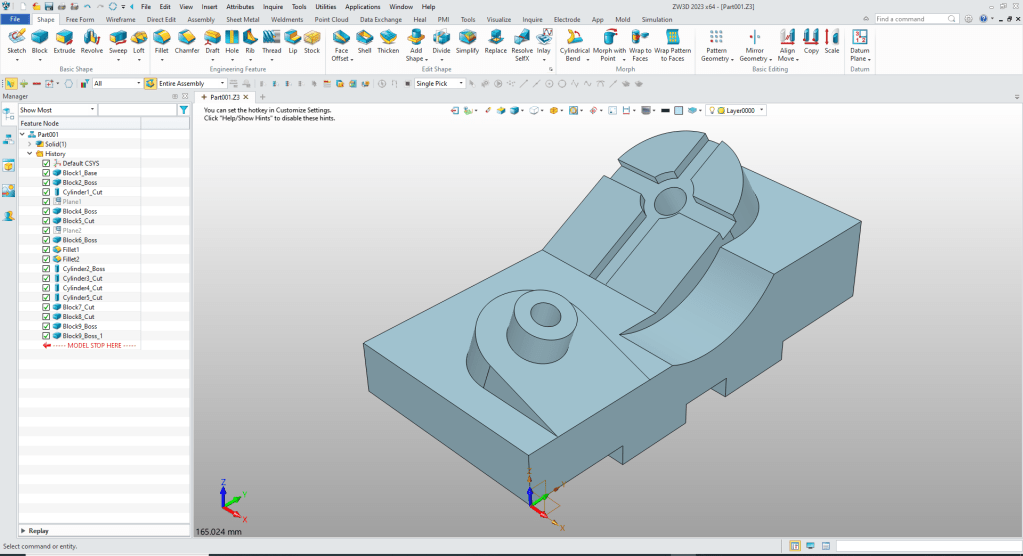
It is very important that you look into how you or your engineers are creating the parts. Streamline Sketching and Feature Based Modeling is easy to learn and implement. It, alone, will increase productivity 10X. Now, ZW3D with its add primitive shapes can increase your productivity another 5X or more with changes! Again, time is money in engineering.
More on Streamline Sketching and Feature Based Modeling.
3D Modeling Techniques Defined
To experience this increased level of productivity, please download ZW3D for a 30 day evaluation. Legacy data is no problem, ZW3D can read the native files of all of the popular programs. ZW3D is a great replacement for the subscription only Autodesk and PTC products.
For more information or to download ZW3D
Give me a call if you have any questions. I can set up a skype or gotomeeting to show this part or answer any of your questions on the operation of ZW3D. It truly is the very best conceptual 3D CAD system.
TECH-NET Engineering Services!
We sell and support IronCAD and ZW3D Products and
provide engineering services throughout the USA and Canada!
Why TECH-NET Sells IronCAD and ZW3D
If you are interested in adding professional hybrid modeling capabilities or looking for a new solution to increase your productivity, take some time to download a fully functional 30 day evaluation and play with these packages. Feel free to give me a call if you have any questions or would like an on-line presentation.
For more information or to download IronCAD or ZW3D
Joe Brouwer
206-842-0360
 TECH-NET, INC